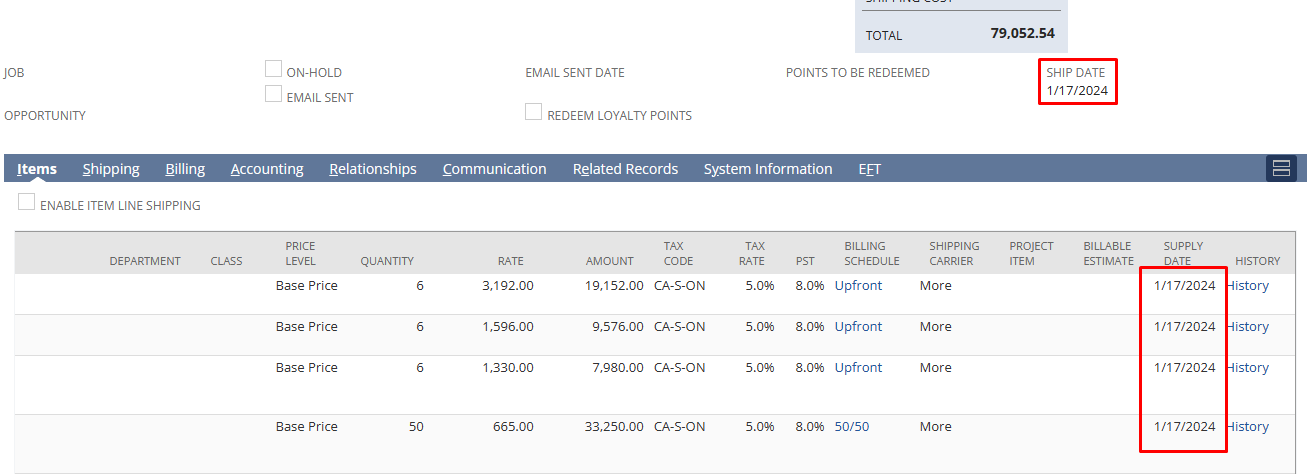
On Sales Order record save, update the line Supply Date field from the body Ship Date field.
Step 1: Create a Workflow
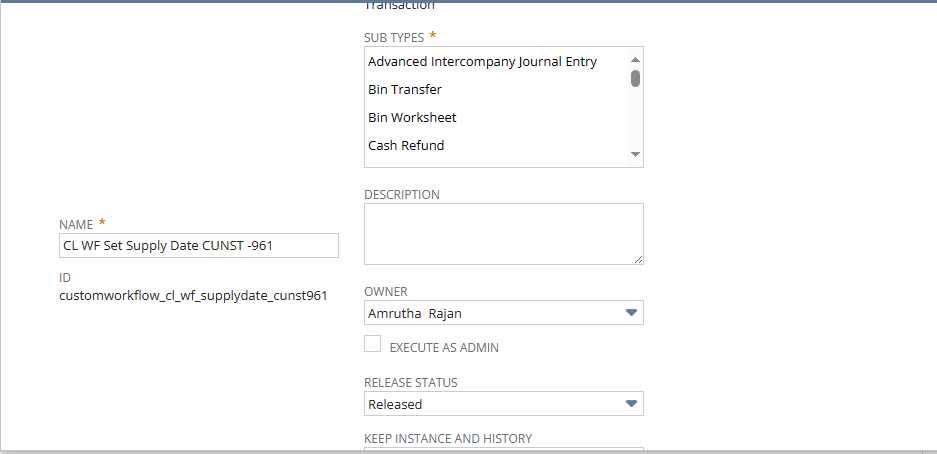
- Go to Customization – Workflows – New Workflow
- Open a new workflow.
- Name:
- Select Type: Transaction
- Select Subtype: Sales Order
- Select Event Based : True
- Select Create and Update
- Trigger : Before Record Submit
- Run as Admin : True
- Enable Logging: True
- Log while : Always
- Release Mode: Testing
- Now save the workflow.
Step 2: Create a State
- Open a new State
- Name: Update Line Locations
- Save the State.
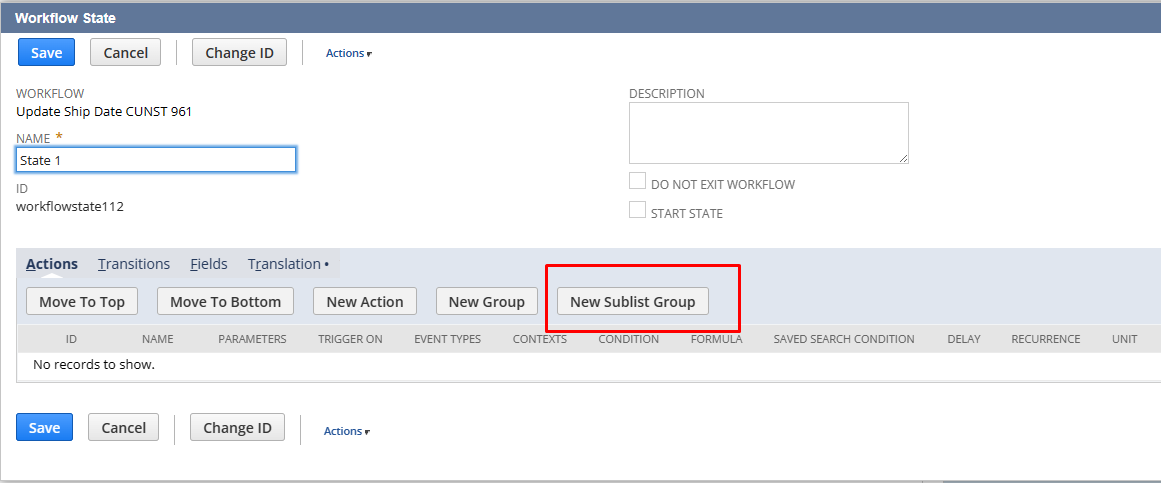
Step 3: Create Sublist Group
- Open the state just created in the last step.
- Click Create new Sublist Group button to open a new Sublict Action Group.
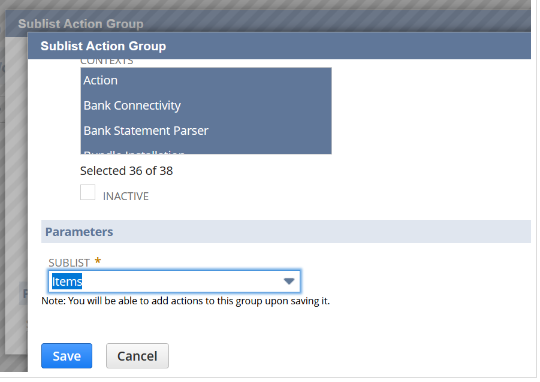
- Select “Item” on List select field and Save the Sublist Action Group.
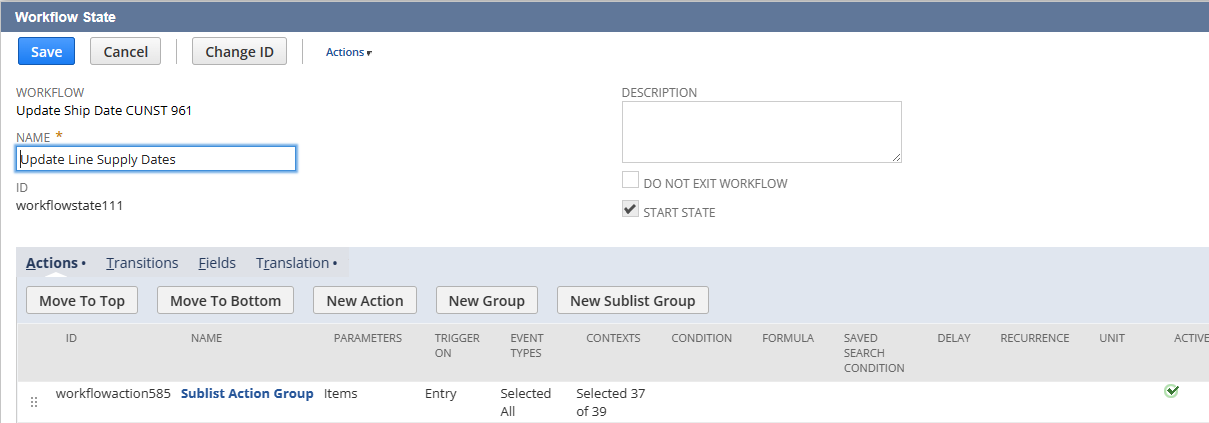
Step 4: Create Action under Sublist Group Action.
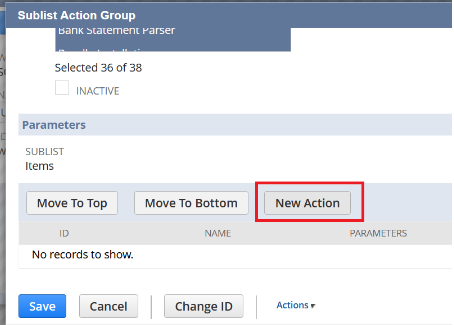
- Open the Sublist Group Action just created in the last step.
- Click the “New Action” button to open a New Action.
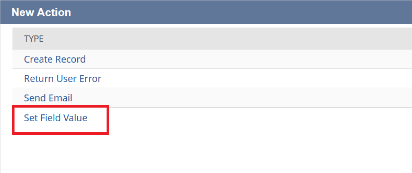
- On the new window select “Set Field Value” action.
- Under Parameter section:
- On “Field” select field, select Supply Date(Line).
- Under Value section:
- Select From Field.
- Record – Current Record
- Field – Ship Date(Main).
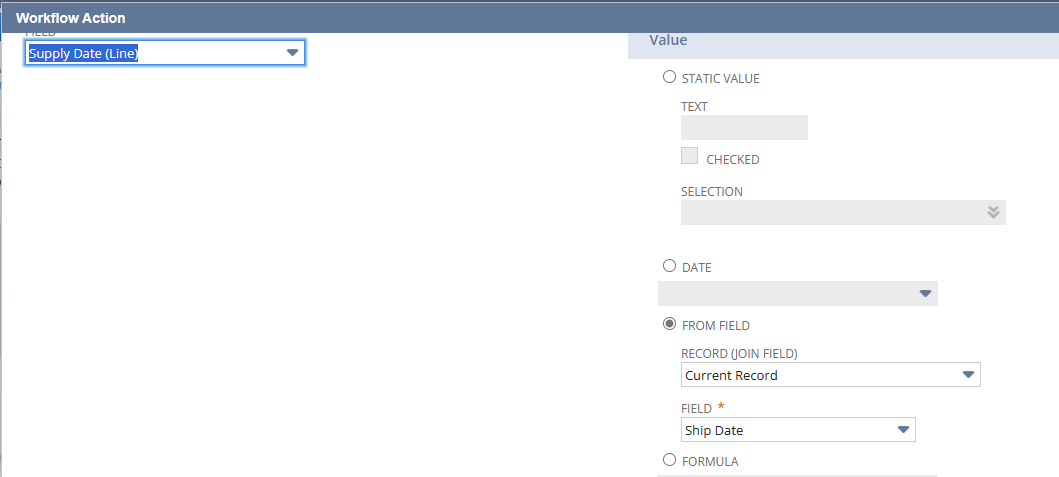
Save the Action.
Save the Sublist Action Group.
Save the Workflow.