Guidelines for Managing Billable Hours in company managed project
- A new custom field has been established to manage billable hours, named as ‘Test Billable Hours’ and the field configured to ‘Sample Test Project – STPJ’.
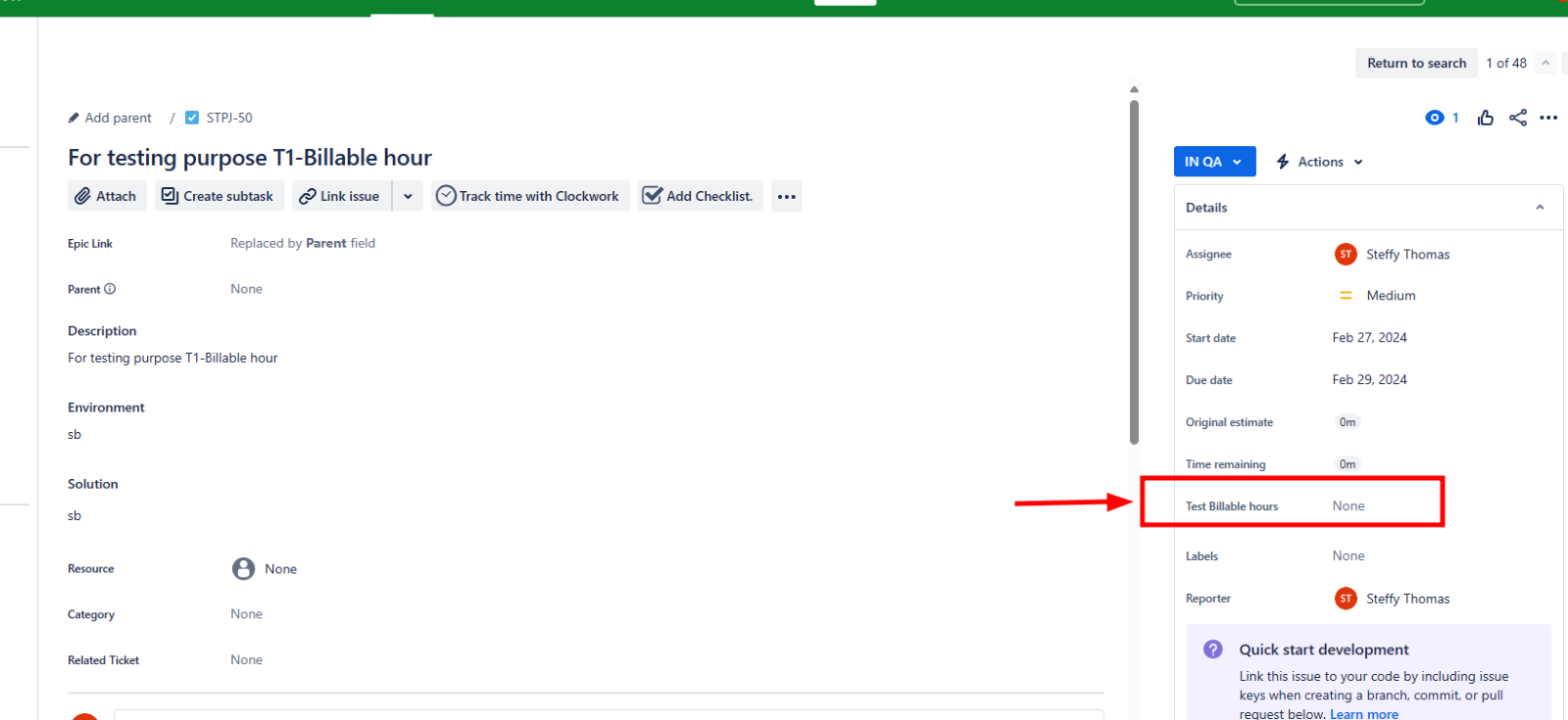
- This custom field, ‘Test Billable Hours’, ought to be readily accessible on the ‘View Issue’ screen within the ‘Sample Test Project – STPJ’.
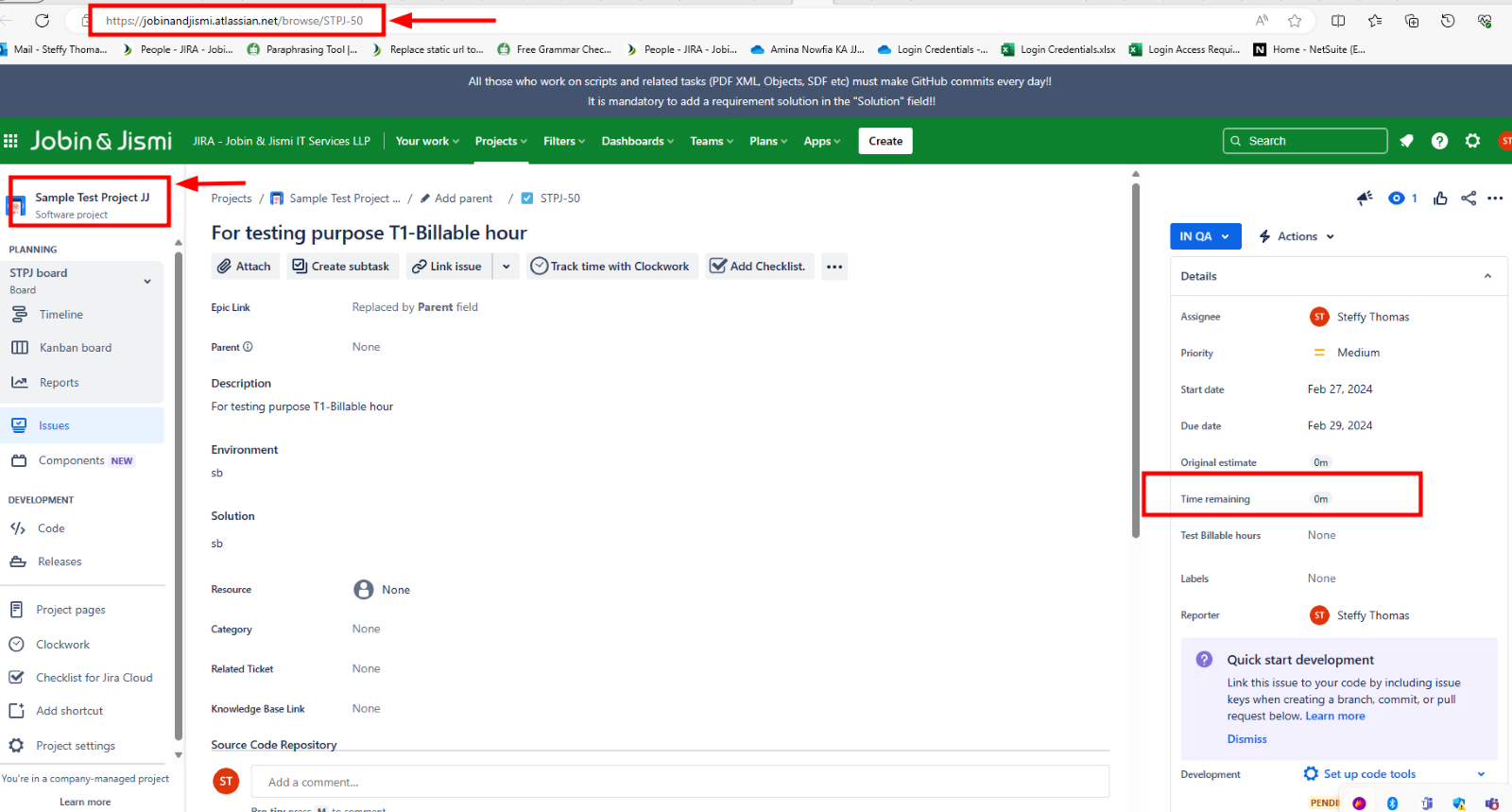
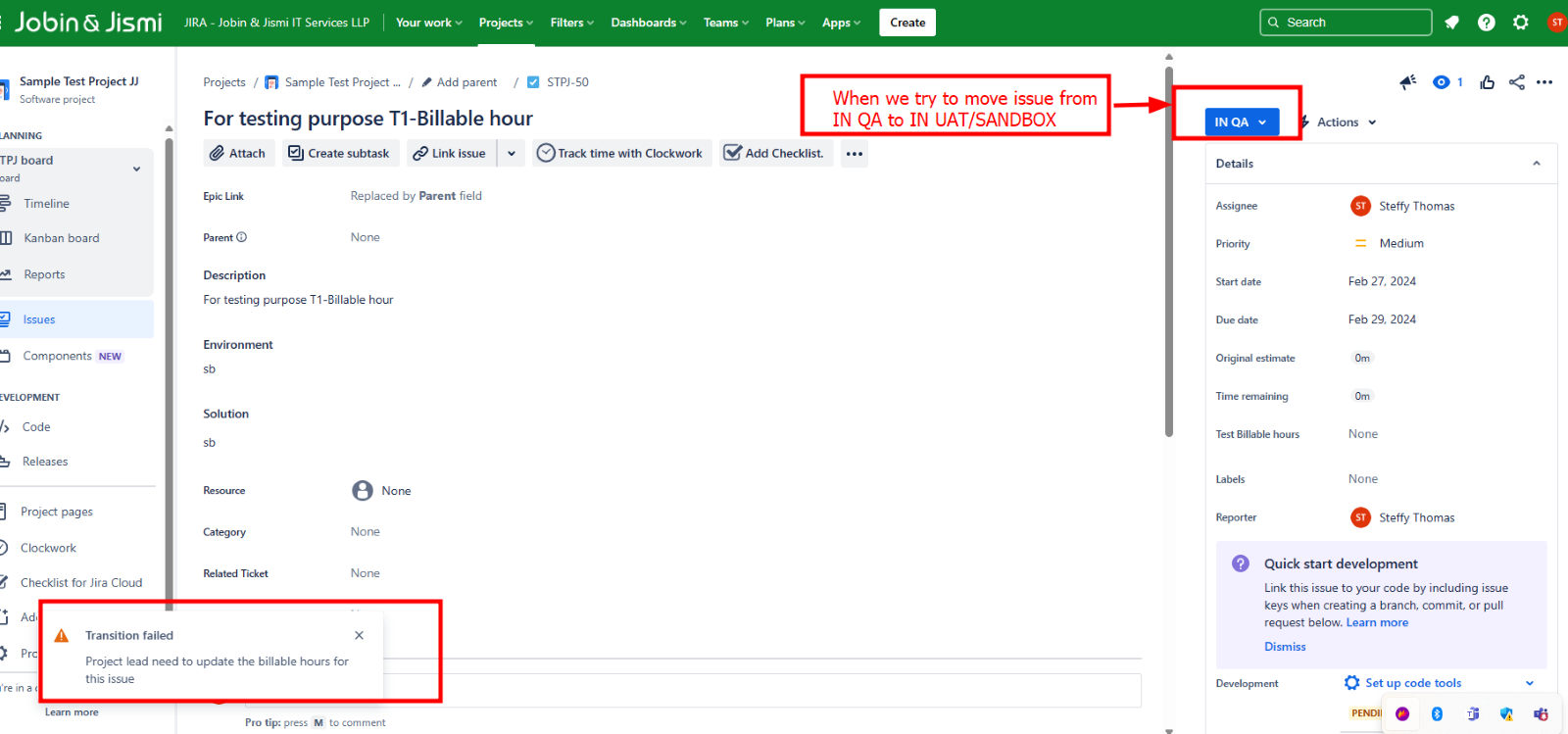
- The Project Lead should enter a value for the custom field ‘Test Billable Hours’ in the status ‘IN UAT-SANDBOX’, or before transitioning to ‘Done’.
- Upon transitioning the issue from any other status to either ‘In UAT/SANDBOX’ or before ‘Done’, it is mandatory for the project lead to populate the custom field ‘Time Billable’ with a value. Failure to do so will result in a warning message indicating that the “Project lead needs to update the billable hours for this issue.”
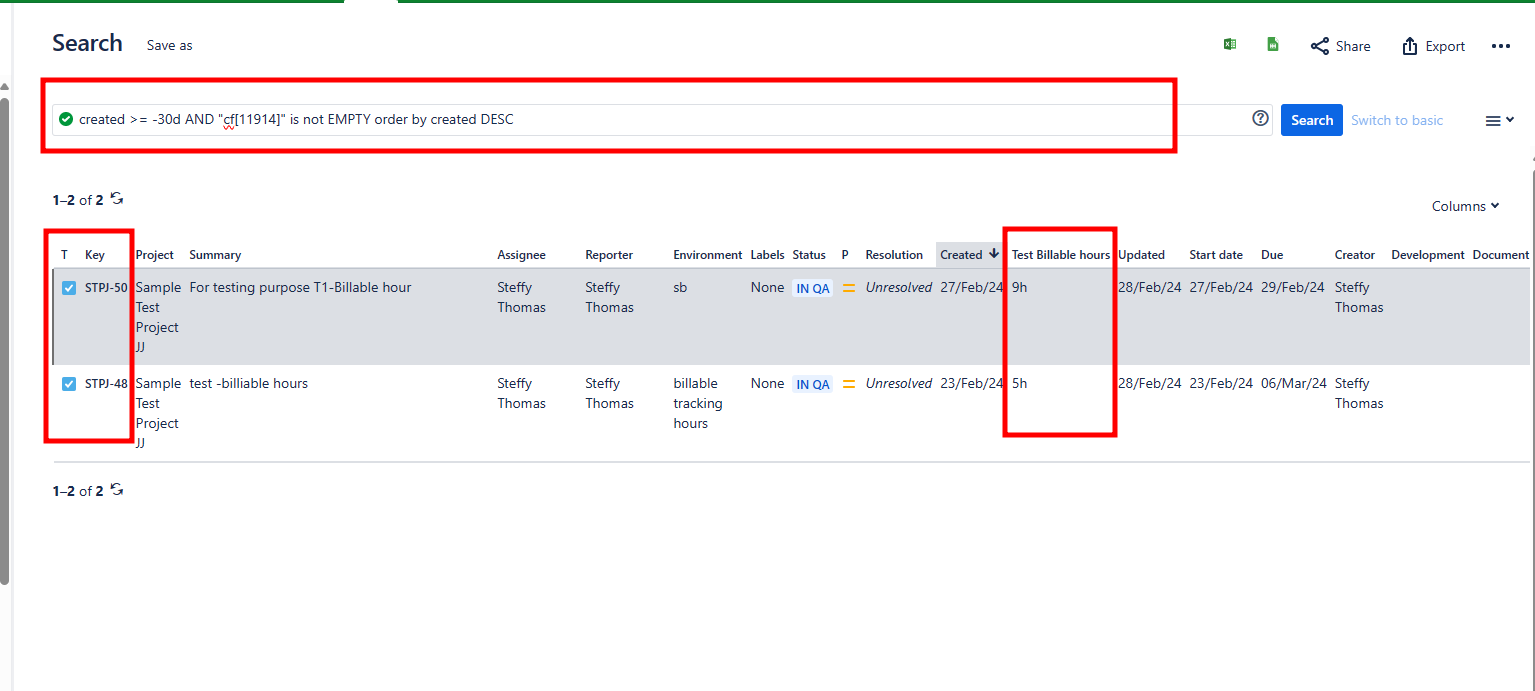
How we can filter task which contain billable hours:
By using this JQL Query:
created >= -30d AND “cf[11914]” is not EMPTY order by created DESC
Where Total Billable hours field id is “cf[11914]”.
The issue type which contains billable hours: