On a Standard General Ledger report or Account Register, users customize the details to add the split column (this is the contra account) . When analyzing an account with contra accounts, the Split column has a value of -Split- and users need to open the transaction to be able to check the accounts, instead users can utilize Contra Account Sheet SuiteApp
Here is an illustration:
Let’s say for example a Journal Entry is created for a Long Term Liability with multiple Contra Accounts:
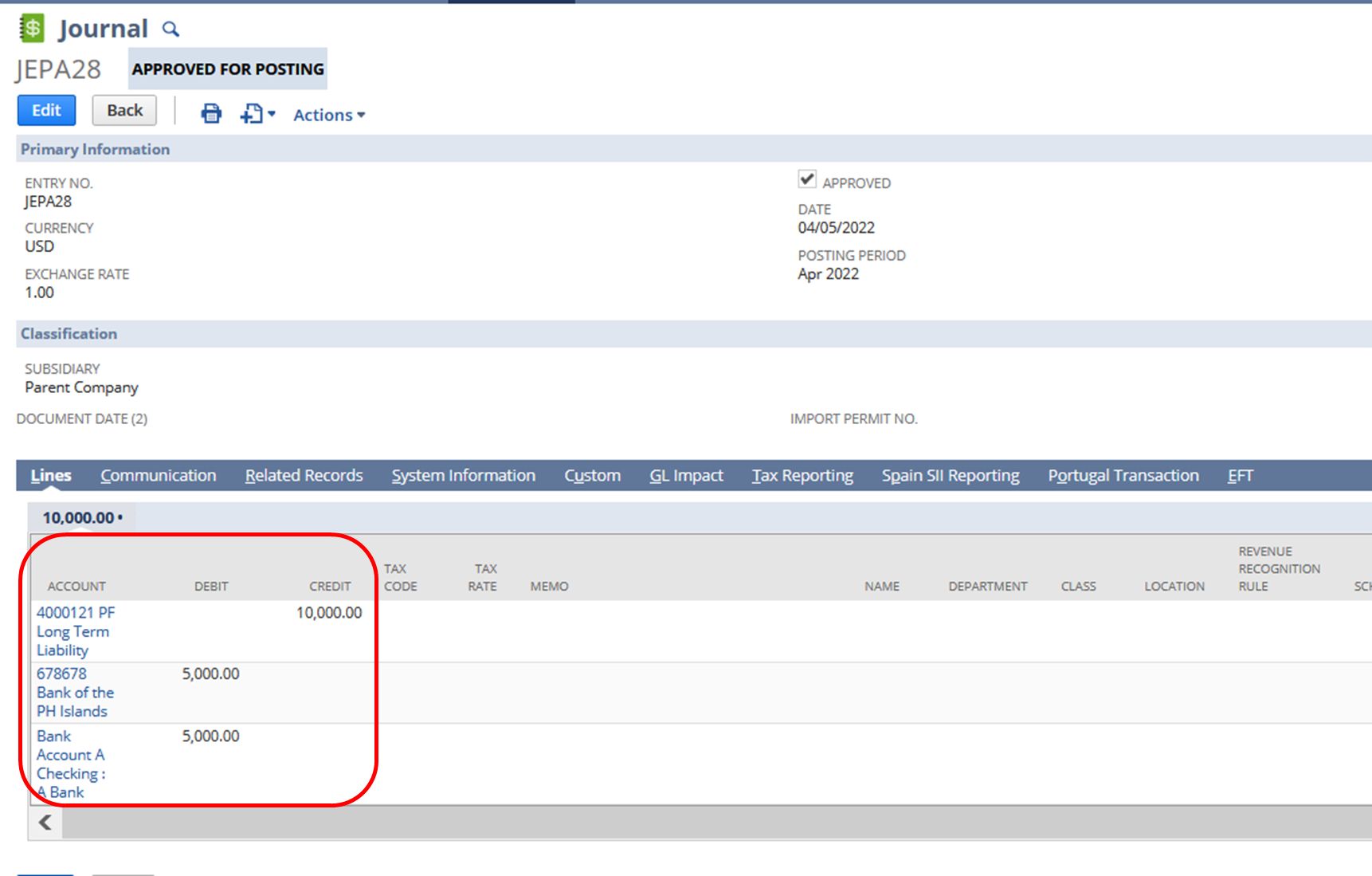
In this example Long Term liability is charged to two bank accounts.
In the account, register the Accounts are not in details and is indicated by -Split-
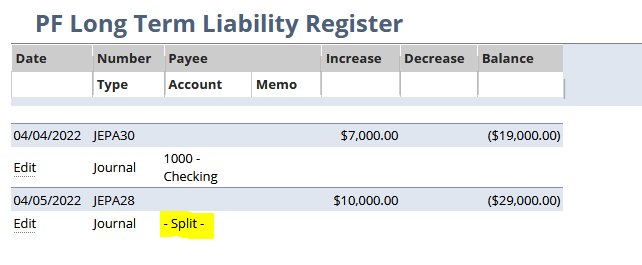
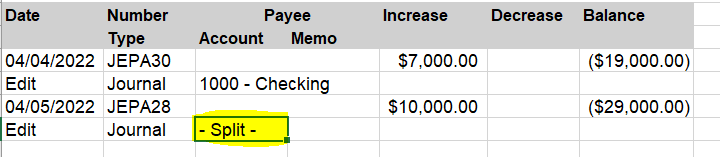
Even when you export the report:
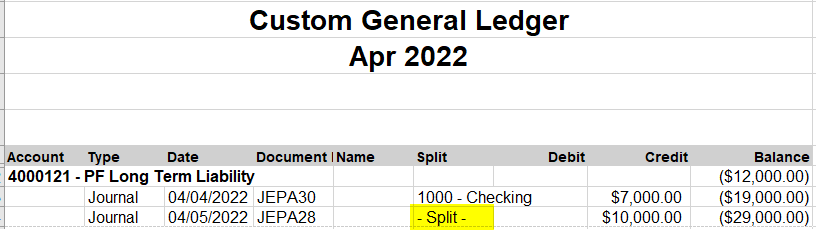
In a customized General Ledger Report that shows the split accounts (Edit Columns > Transactions > Split) it also display -Split- instead of the details:

Exported General Ledger:
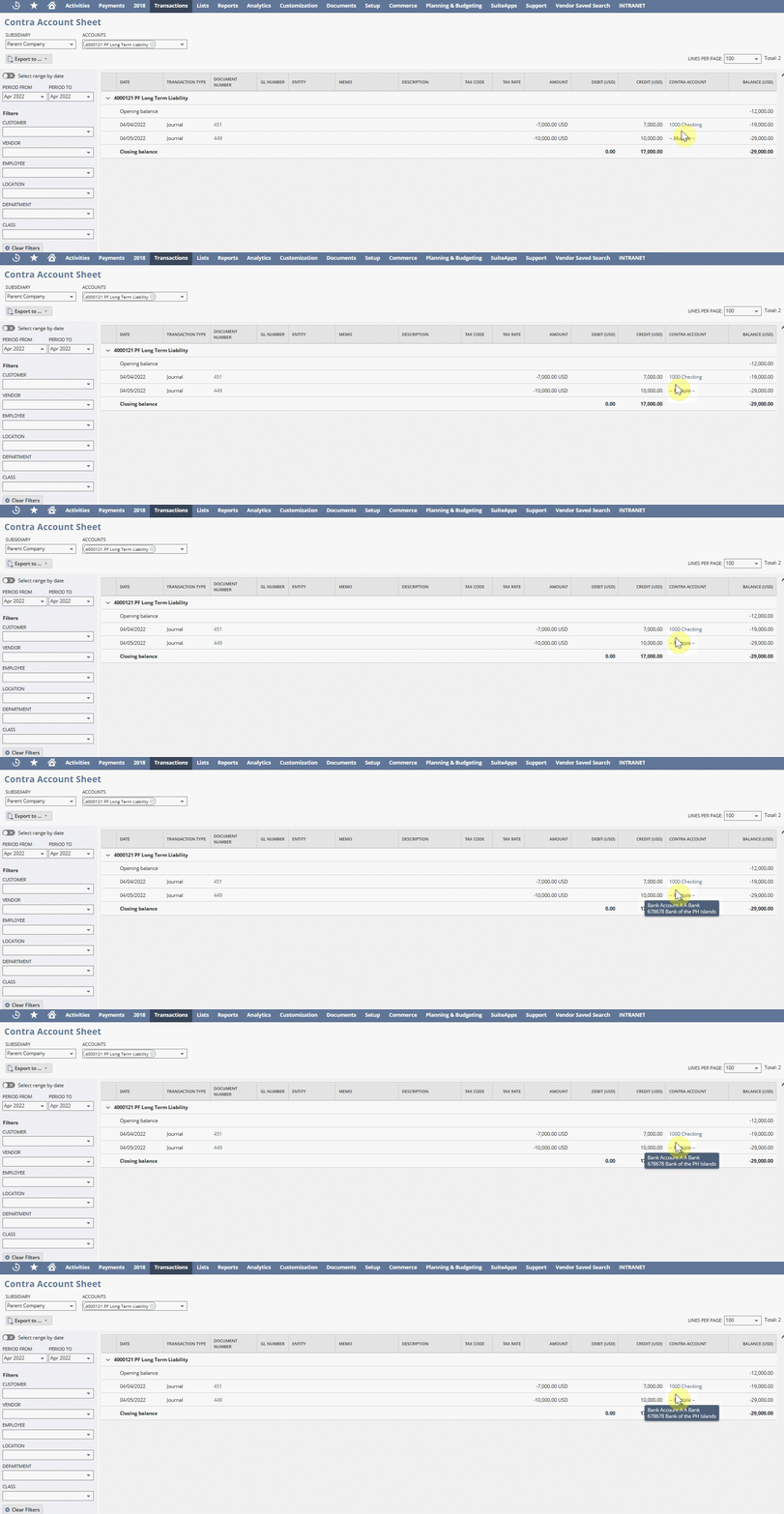
In contrast to this is the Contra Account Sheet, when you hover your cursor to the contra account column for transactions with multiple contra accounts users will be able to have a first glance on what accounts were used:
When you export the report, users will be able to see the Contra Account names:
