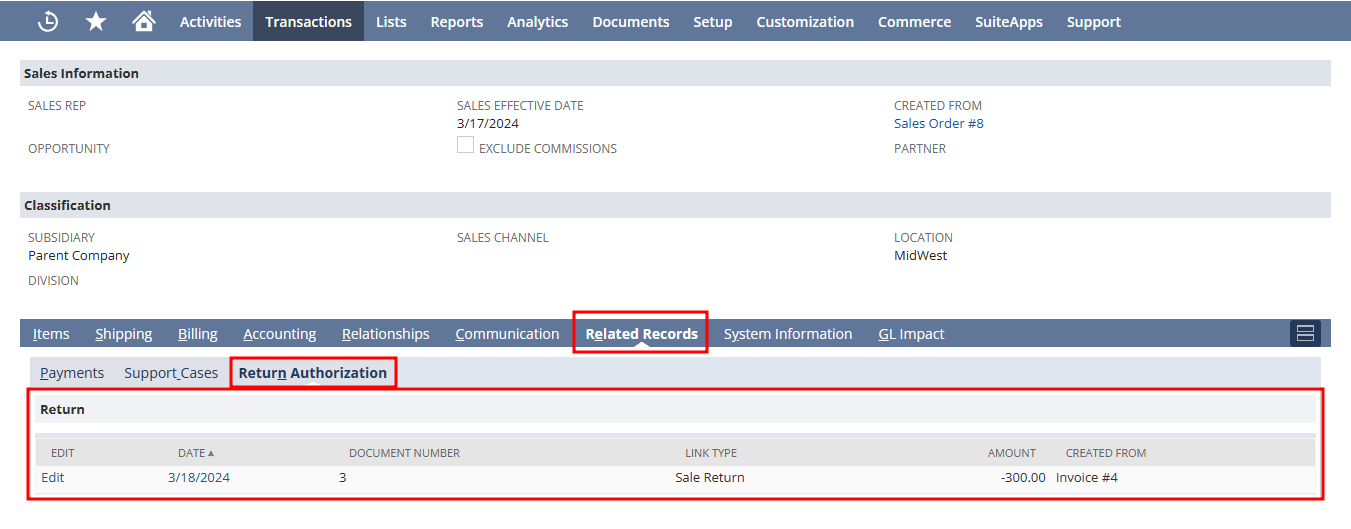
Initially create a subtab for transaction forms, Goto Customization → Forms → Subtab.
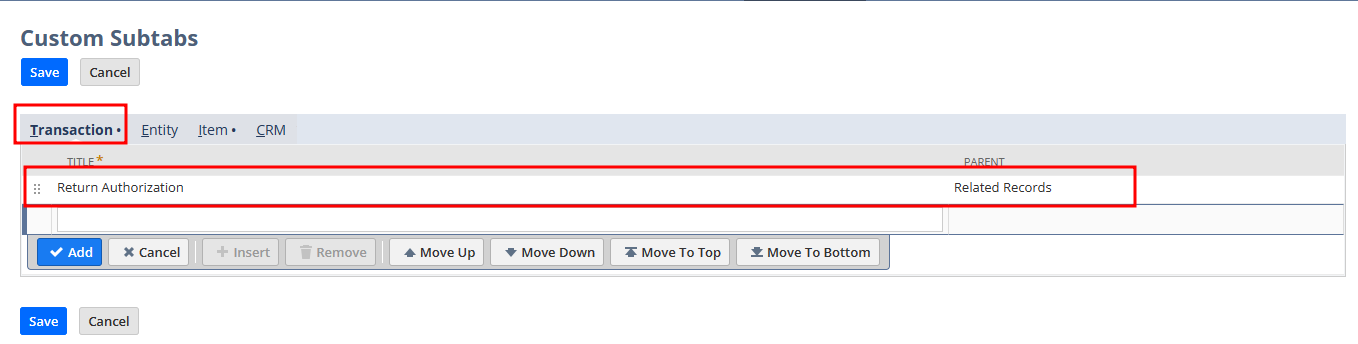
- Select transactions,
- Enter the name for subtab
- Choose parent as Related Records.
- Save
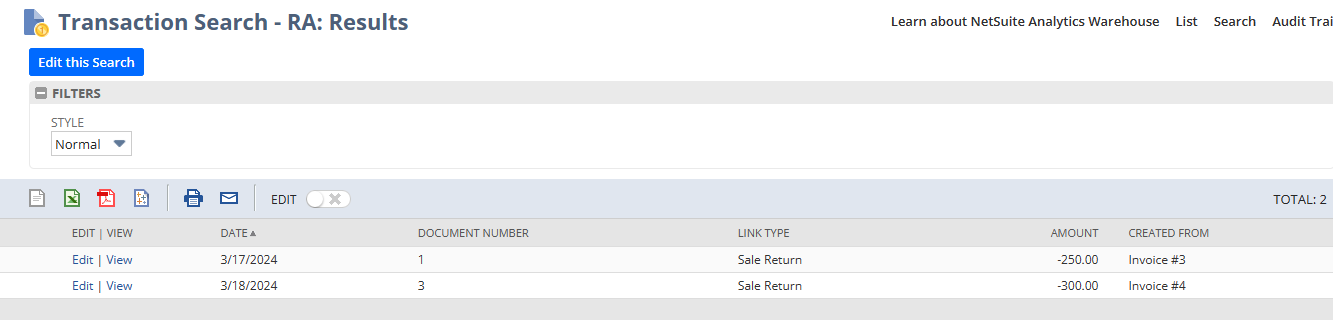
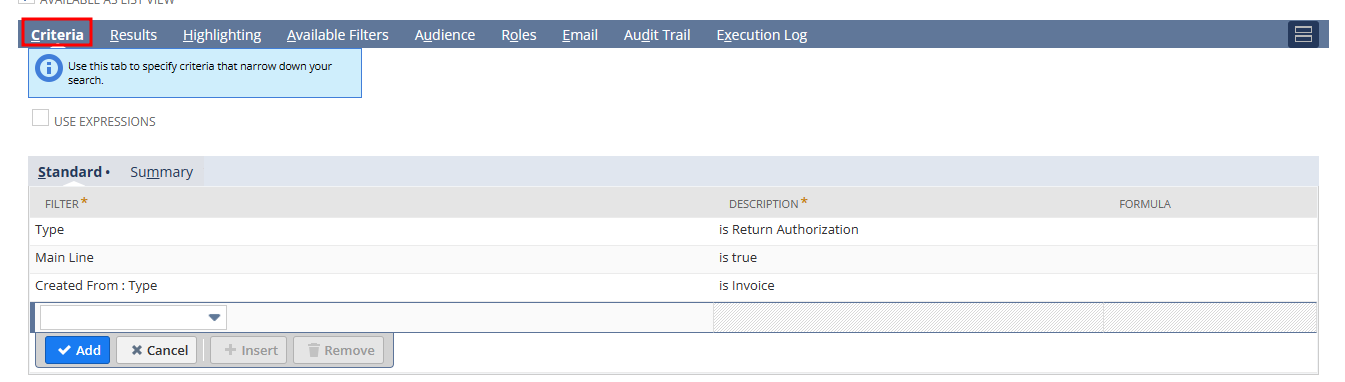
After that create a saved search for linked return authorization of corresponding invoice. Make sure the search is available as list view.
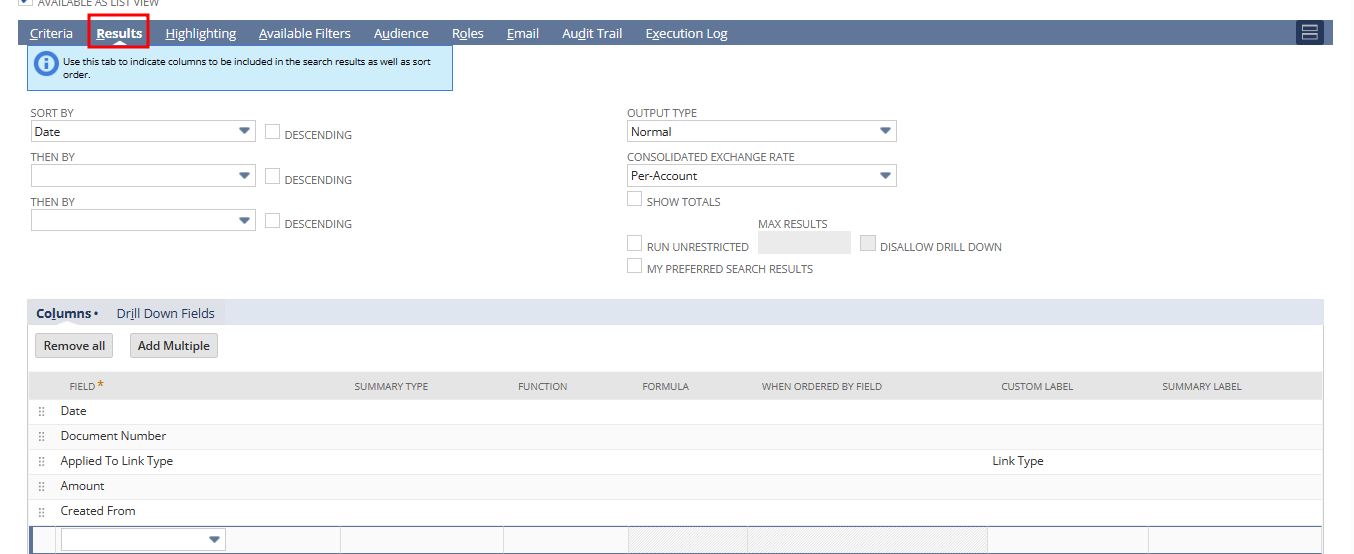
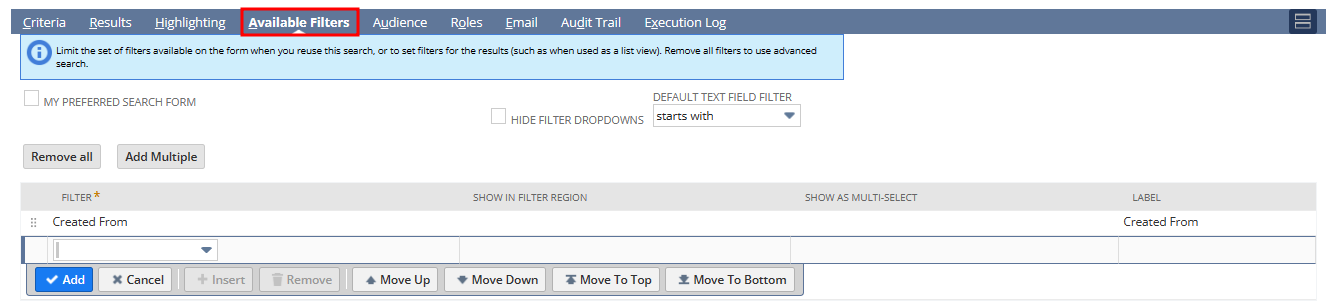
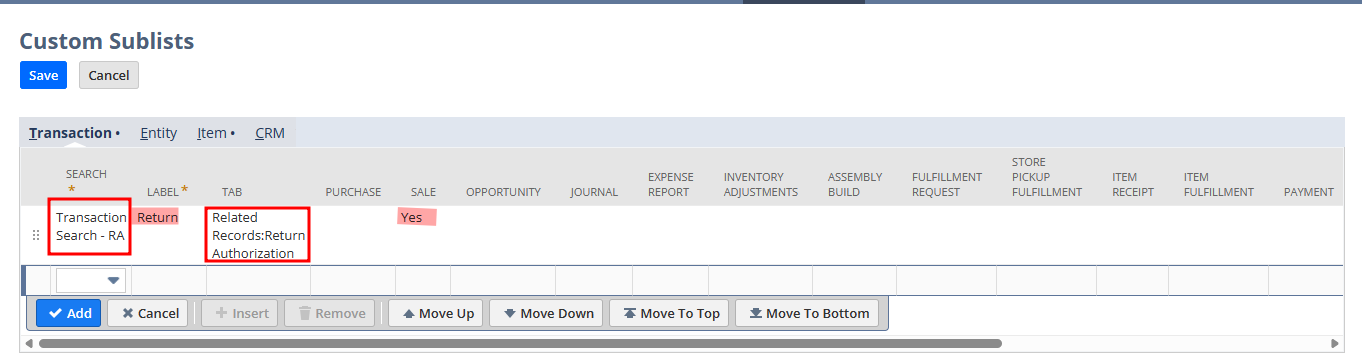
Now, goto Customization → Forms → Sublists.
- Choose the created search
- Provide a label
- Choose the subtab were we have to display this.
- Check under sale
- Save
Results