Open XAMPP and enable Apache and mysql in the XAMPP.
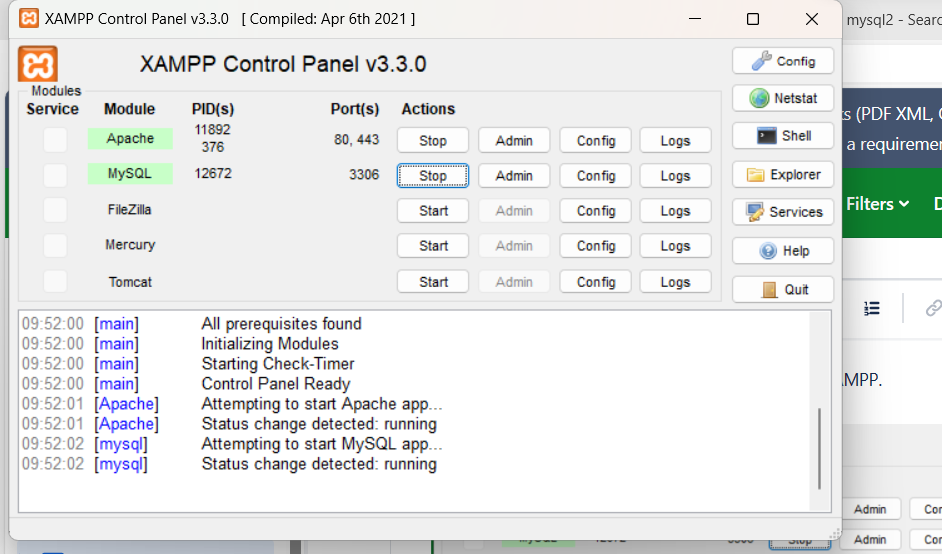
A database was created in the http://localhost/phpmyadmin/index.php.
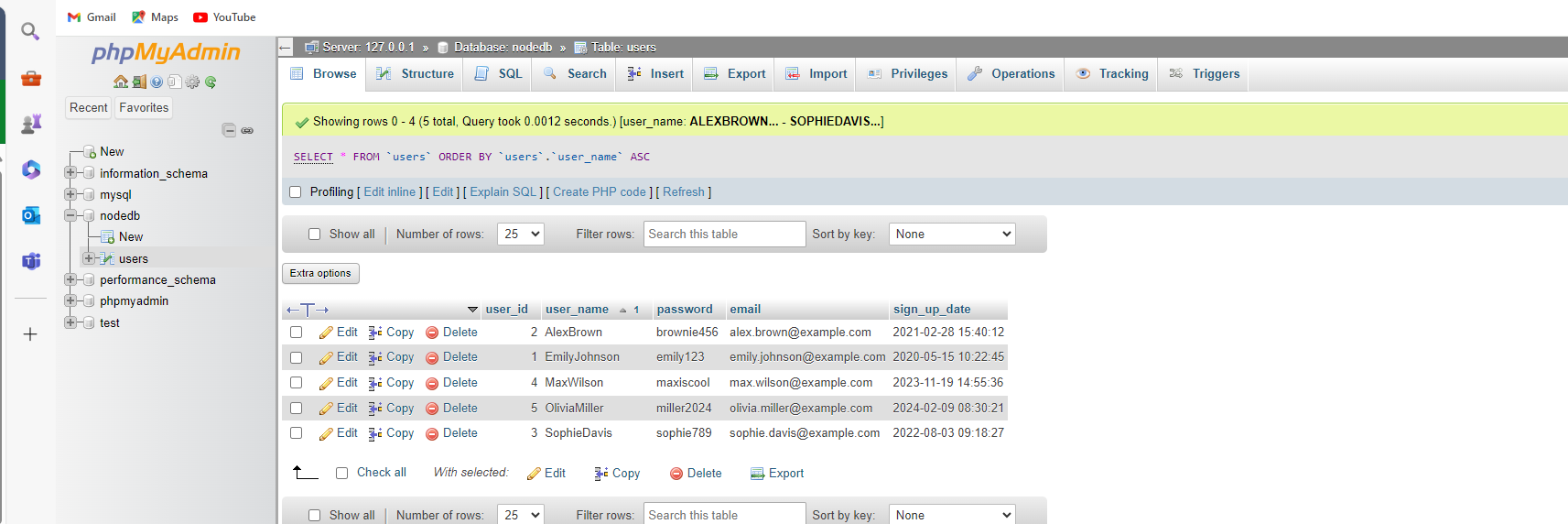
I have created a table width database name “nodedb” and table name users. I have entered some values in the columns, and I have to get the values as API in the frontend.
For database connection, I have created a Folder called DB and inside it created a file db.js.
Inside the folder, I have added the connection string to connect to the database.
Install mysql2 in the project.
npm i mysql2
import mysql from 'mysql2/promise';
let pool; // Global variable for connection pool
export const connectToDatabase = async () => {
  if (!pool) {
    try {
      pool = mysql.createPool({
        host: "localhost",
        user: "root",
        password: "",
        database: "nodedb",
      });
      console.log('Connected to database');
    } catch (error) {
      console.error('Error connecting to database:', error);
      throw error; // Re-throw for handling in API route
    }
  }
  return pool;
};
Make sure that the connection strings are correct and after that created a statement to make sure that the connection is successful or not.

For accessing the database values, I have created a file inside the pages → api folder with name getData.js.
Function call has been imported in the top.
import { connectToDatabase } from ‘../../db/db’; // Import the connection function
Then added the queries as required.
import { connectToDatabase } from '../../db/db'; // Import the connection function

export default async function handler(req, res) {
  try {
    const pool = await connectToDatabase();
    const connection = await pool.getConnection(); // Get a connection

    const query = "SELECT * FROM users";
    const values = []; // No values needed for this query

    const [data] = await connection.execute(query, values);

    connection.release(); // Release the connection back to the pool

    res.status(200).json({ results: data });
  } catch (error) {
    console.error(error);
    res.status(500).json({ error: 'Internal Server Error' }); // Generic error message
  }
}
The result will be available in the path localhost:3000/api/getData.
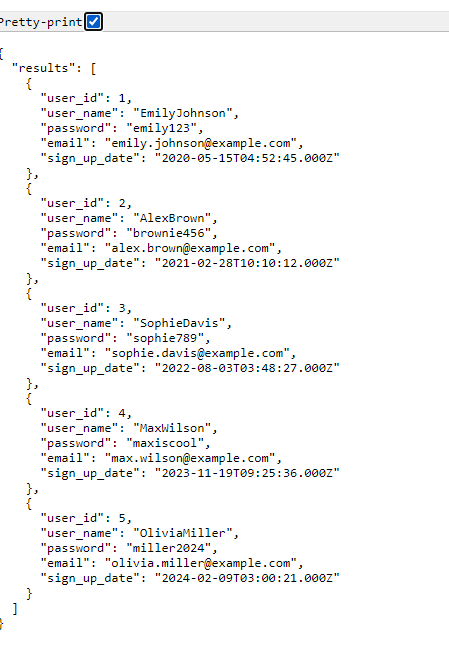
This data can be called out as per our requirement.