Supported Features
The Okta/NetSuite SAML integration currently supports the following features:
- IdP-initiated SSO
- SP-initiated SSO
For more information on the listed features, visit the Okta Glossary.
Configuration Steps
- Sign on to NetSuite with your user credentials.
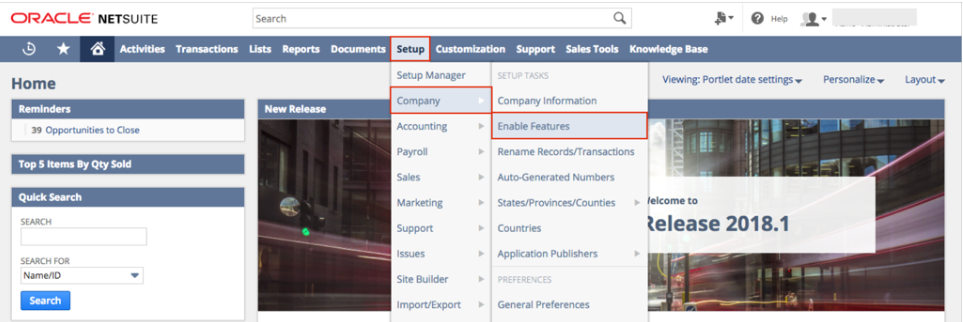
- Go to Setup > Company > Enable Features:
Select SuiteCloud on the Enable Features menu:

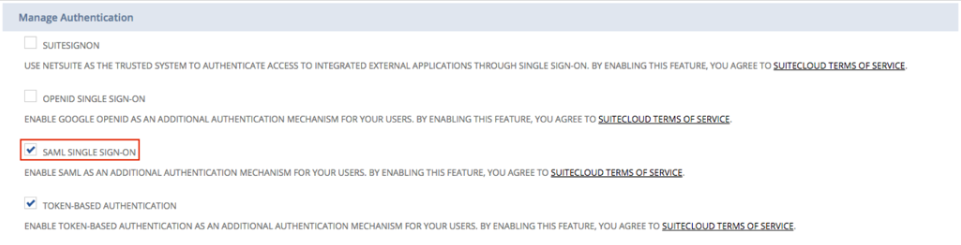
Scroll down to the Manage Authentication section.
Check SAML SINGLE SIGN-ON:
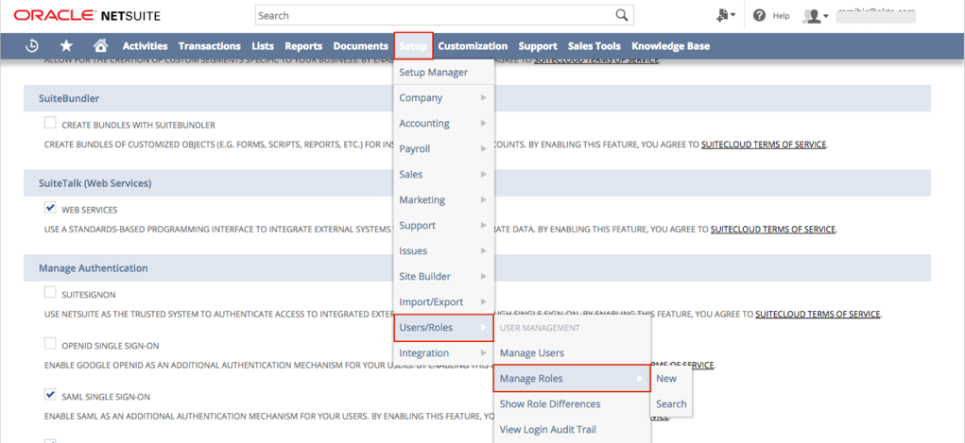
On the top menu, select Setup > Users/Roles, then click Manage Roles:
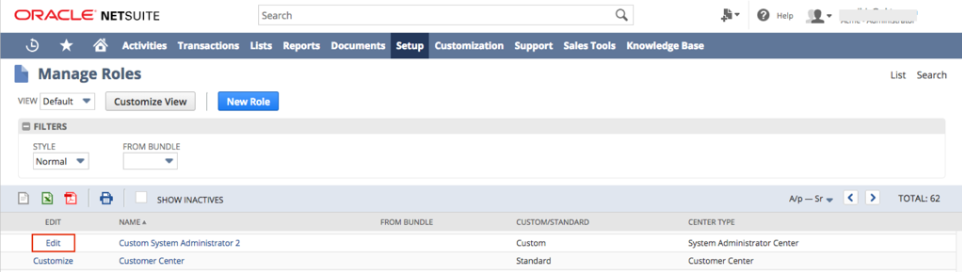
The Manage Roles section that contains a list of all the roles assigned in your organization opens. Select Edit for a role for which you want to enable SAML:
Scroll down to the Permissions section, then click Edit
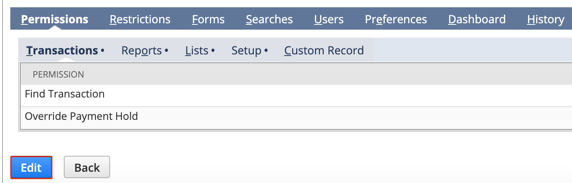
Select Setup:

Select the dropdown icon to display the list above the empty box. Select SAML Single Sign-on, then select Add:

Only assign the following permission to roles that need the ability to configure the SAML SSO connection (for example, admin roles). Don’t assign this permission to standard user roles.

Select Save to return to the Manage Roles Section
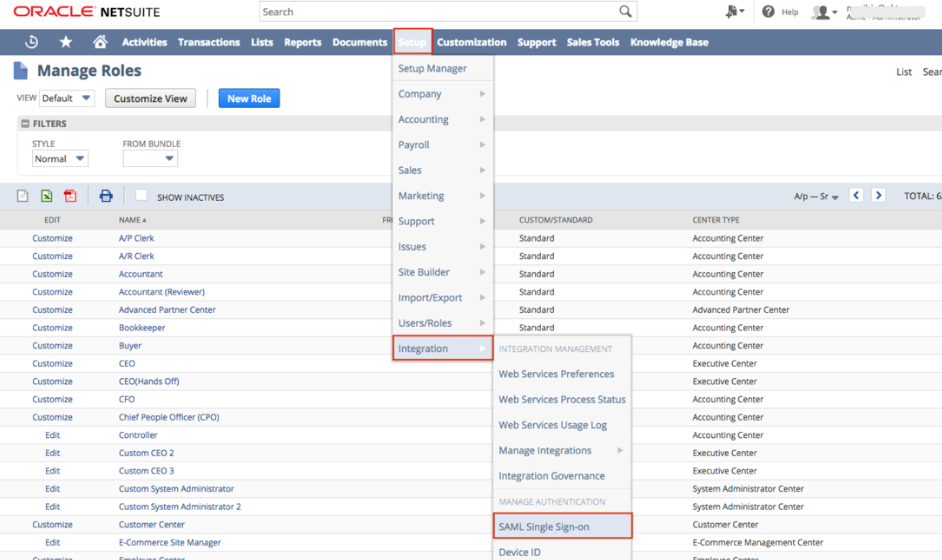
On the main menu at the top of the page select Setup > Integration > SAML Single Sign-on:
The SAML Setup page opens. Enter the following:
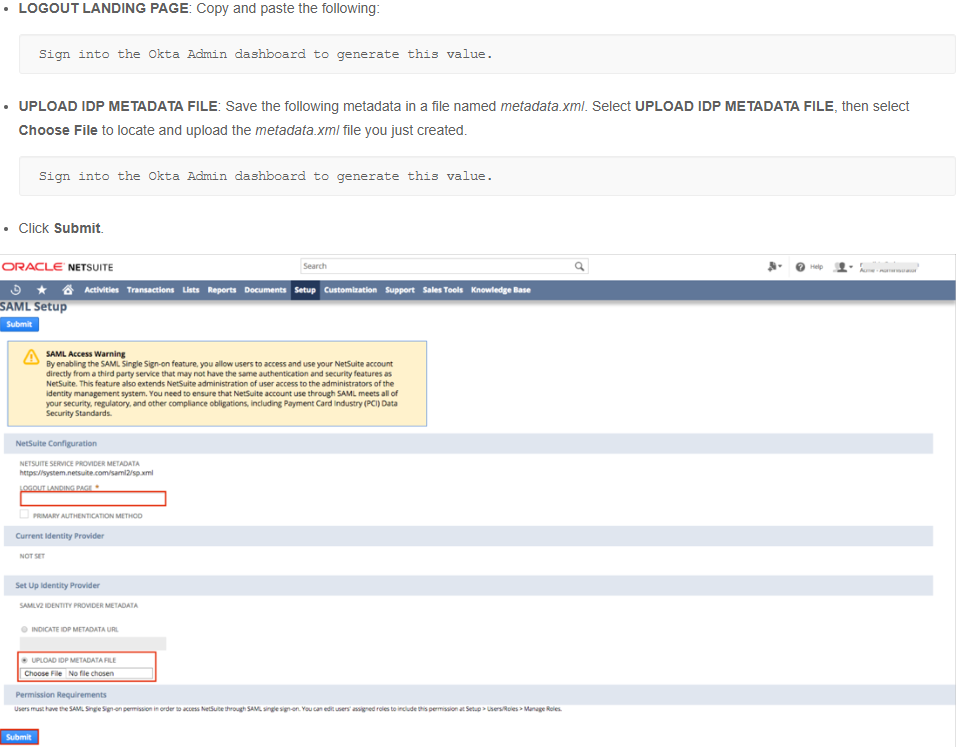
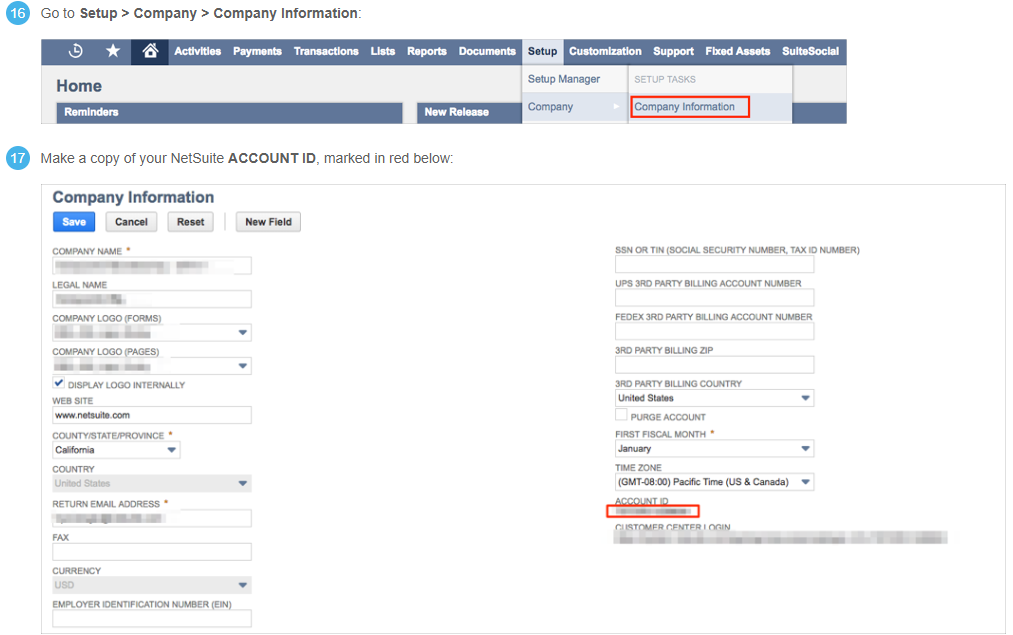
Note: This setup might fail without parameter values that are customized for your organization. Please use the Okta Administrator Dashboard to add an application and view the values that are specific for your organization.