In the Advanced Template Editor, edit the HTML markup source and use the BFO tag <barcode /> to create a custom bar code.
To add a custom bar code to an advanced template:
- Open the advanced template in the template editor and click the Source Code toggle.
- Scroll down to the portion of the HTML markup source where you want to create a bar code. Add the following code to the template and specify the
codetype,showtext, andvalueparameters as required.
<barcode codetype="qrcode" showtext="false" height="150" width="150" value="http://www.example.com/" />
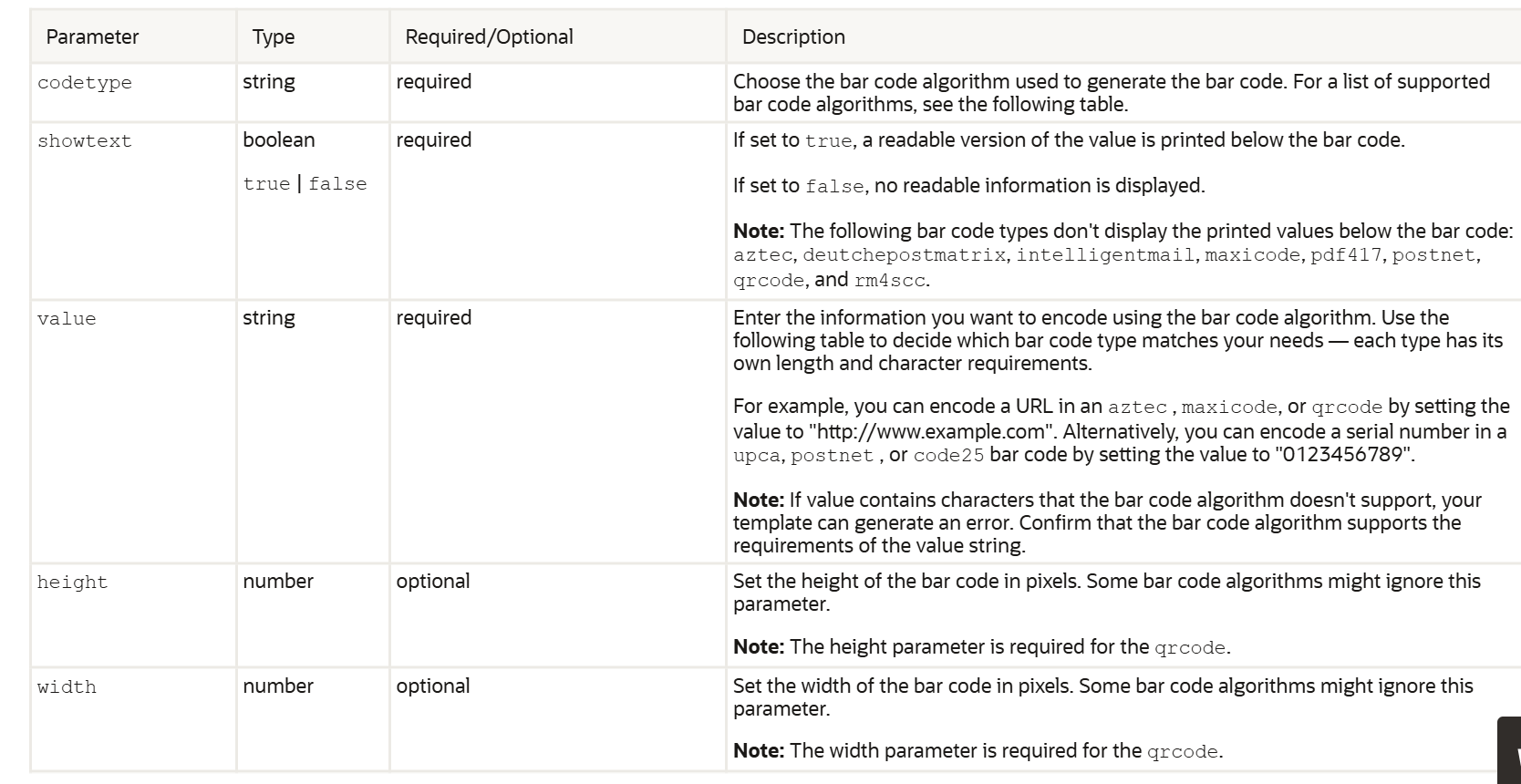
Parameters in the barcode tag:
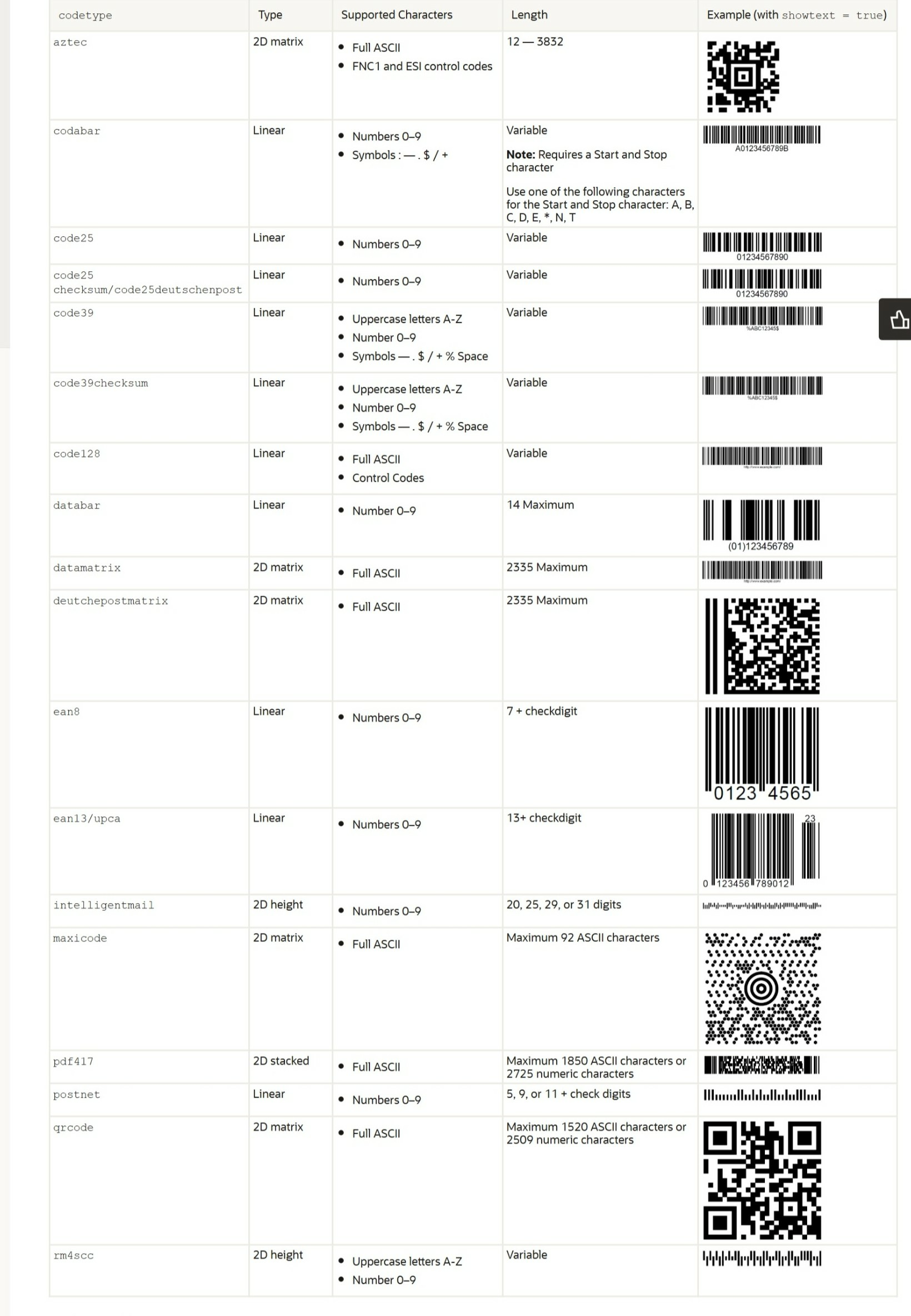
Bracode Types supported by NetSuite Advance templates: