In the Celigo Magento → NetSuite customer/order sync flow, guest checkout orders can cause customer creation or mapping issues if the flow is not configured according to business requirements.
This article explains:
How to configure Celigo to either:
Map all guest checkouts to a single default guest customer, or
Create individual NetSuite customers for each guest order
Standard Behavior: Default Guest Customer
How It Works
By default, Celigo is configured to map all Magento guest checkout orders to a single default guest customer in NetSuite.
A Default Guest Customer Internal ID is configured in:
Celigo → settings →order→ customer
When an order is placed using guest checkout in Magento:
No new customer record is created in NetSuite
The order is assigned to the predefined guest customer
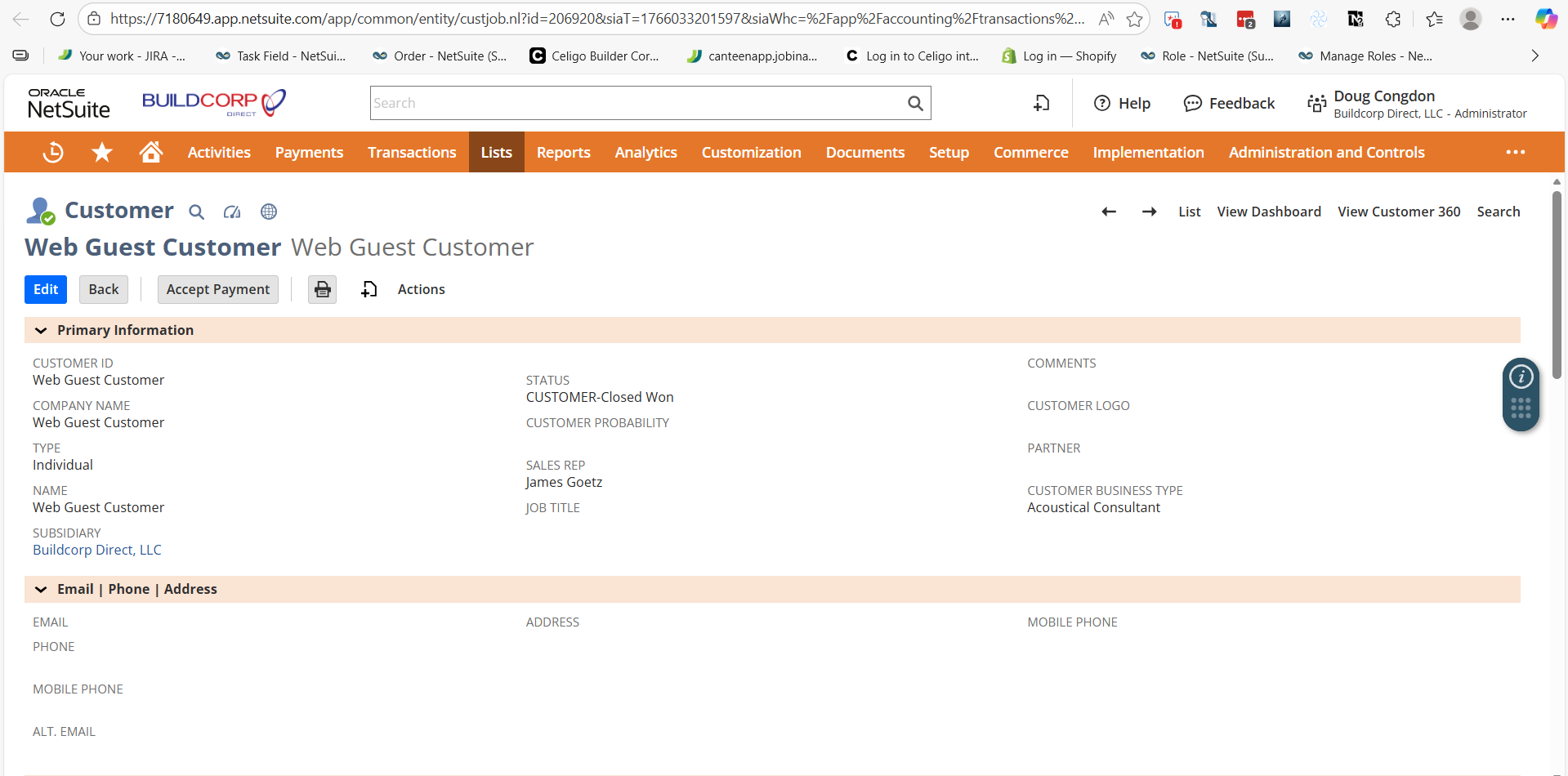
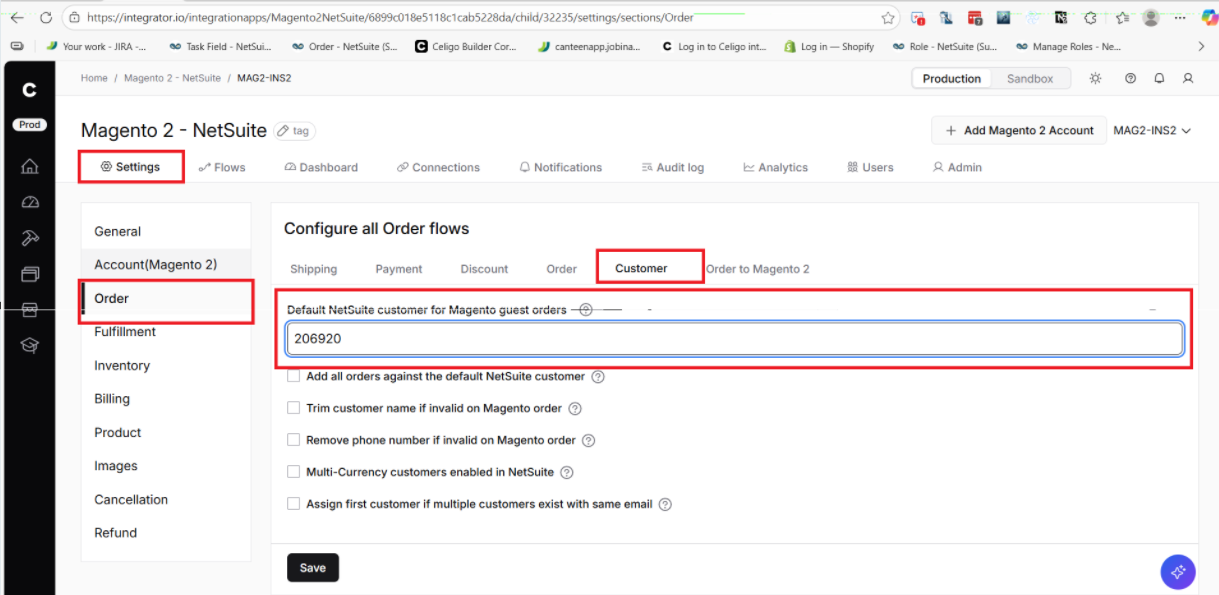
Why This Is the Standard Approach
Avoids creating a large number of one-time customers
Keeps the NetSuite customer master clean
Commonly used in most Magento DTC and retail implementations
Alternative Setup: Create Individual Customers for Guest Orders
If the business requires each guest checkout order to create a new customer in NetSuite, Celigo supports this configuration.
Configuration Change
1. Navigate to:
Celigo → settings →order→ customer
2. Remove the Default Guest Customer Internal ID
3. Save the flow
Resulting Behavior
Each Magento guest checkout order will:
Create a new customer record in NetSuite
Celigo still identifies guest checkouts by checking the:
Customer → Etail tab → Guest Customer checkbox
This checkbox allows NetSuite to differentiate guest customers from registered customers
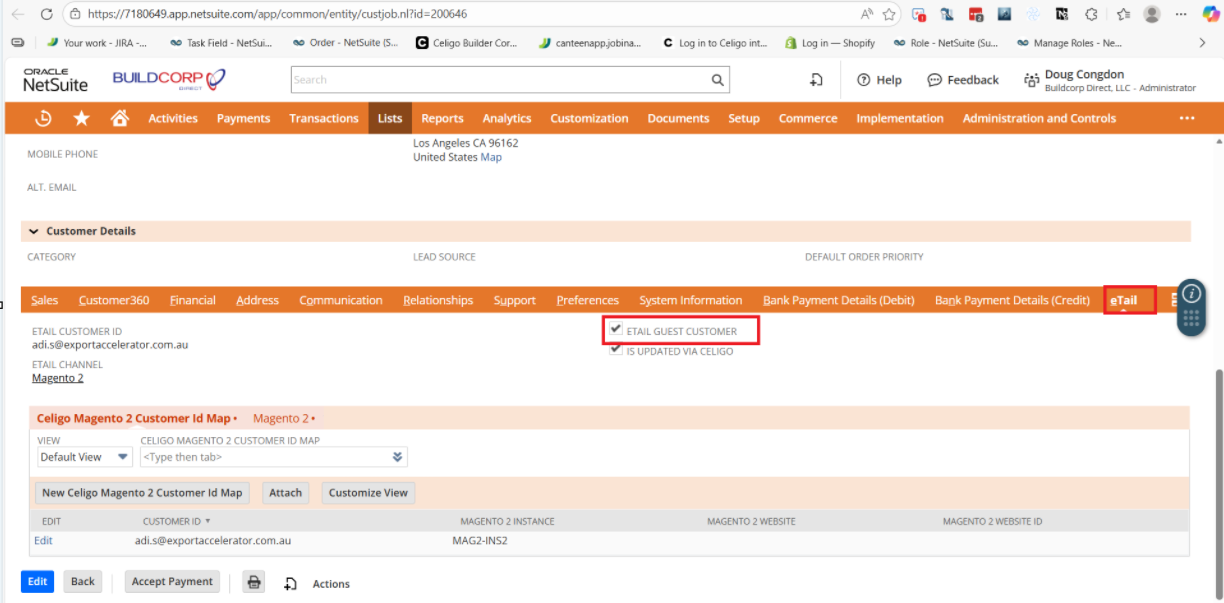
Important Notes
The Guest Customer checkbox in NetSuite is evaluated even when new customers are created
Removing the default guest customer ID:
Increases customer record volume
Should only be done if explicitly required by the client
Always confirm reporting and accounting expectations before changing this behavior