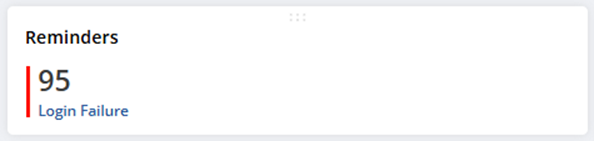
Adding a “Login Failure” in the Reminders Portlet can be highly beneficial for various industries, especially those dealing with sensitive information and user accounts.
By incorporating login failure reminders in the portlet, industries can enhance security, improve user experience, and proactively manage potential unwanted logins. This demonstrates a proactive approach to user account management, fostering a sense of security and trust among users. It also allows businesses to stay ahead of potential issues.
Create a Saved Search to show Users who have a Failed Login Status. (SuiteAnswers ID 80470 Report/Search to check those users who login with failed status <https://suiteanswers.custhelp.com/app/answers/detail/a_id/80470/loc/en_US>)
- Navigate to List > Search > Saved Searches
- Select Login Audit Trail.
- Set the Title of the search.
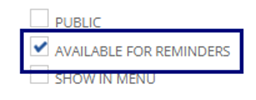
- Enable Available for Reminders checkbox
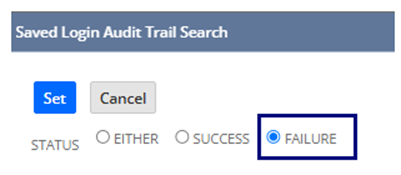
- Under Criteria tab, Add Status = Failure as a filter.
- Under the Results tab > Add Request URI to the list of fields.
- Click on Save & Run
Add the search in the Reminders Portlet
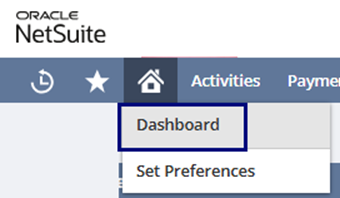
- Navigate to Home > Dashboard
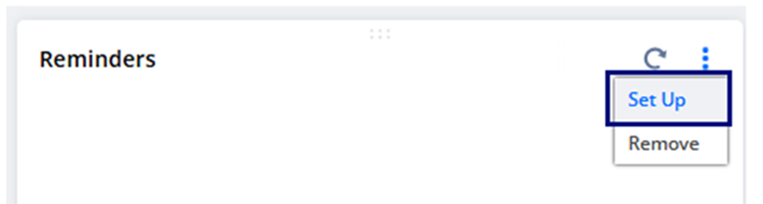
- On the Reminders Portlet hover to the right side until you see 3 vertical dots, then click on Set Up
- a. The Select reminders pop up will show
- Locate the Login Failure search then > Click or Drag to Add
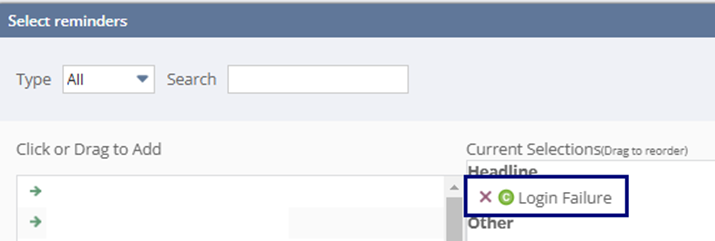
- Once done click Save.
Expected result: