To allow NetSuite authorized staff to access our account for case investigation, ensure both the company level NetSuite Support Login preference and the case level Allow NetSuite Login for this Case field are enabled.
Company Level Preference: The NetSuite Support Login preference applies to all cases and takes precedence over the case level preference.
Case Level Preference: Enable the Allow NetSuite Login for this Case field to permit access for specific cases. This field works only if the company-wide preference allows access.
To enable the Allow NetSuite Login for this Case field, you must be logged in to the NetSuite Account Center, which is only available to employees with either the NetSuite Support Center role or the NetSuite Support Center (Basic) role. The NetSuite Account Center can be accessed through the NetSuite Account Center portlet (located on the Support tab).
The field can be enabled when creating new cases or when editing existing ones.
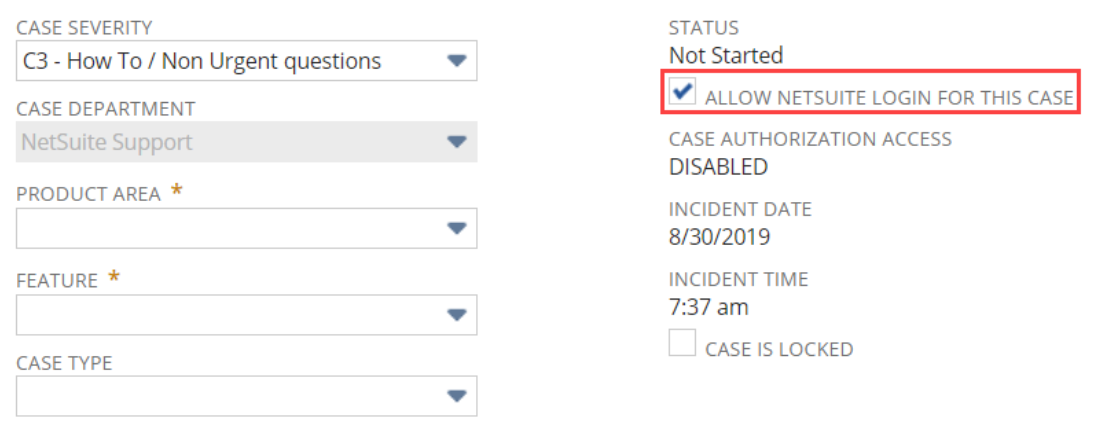
The NetSuite Support Login preference takes precedence over the Allow NetSuite Login for this Case field on the NetSuite case form.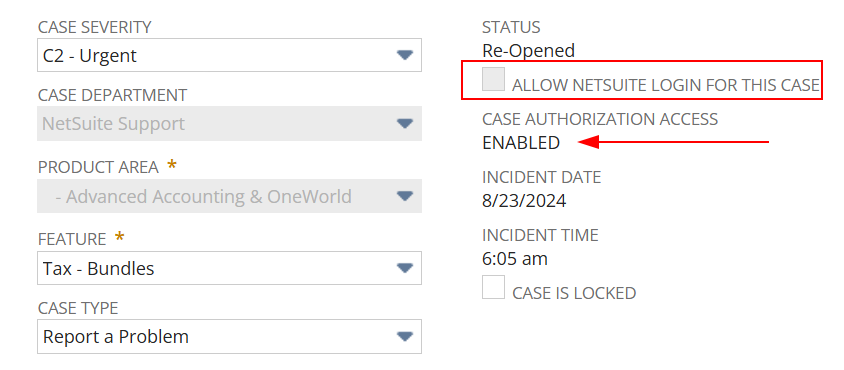
If the NetSuite Support Login preference prevents access, even if the Allow NetSuite Login for this Case field is enabled, when creating or updating the case, authorized NetSuite staff cannot access a copy of your data