Follow the steps below to migrate an existing API key integration to a private app:
1. Create a new private app
- In your HubSpot account, click the settings icon in the main navigation bar.
- In the left sidebar menu, navigate to Integrations > Private Apps.
- Click Create private app.
- On the Basic Info tab, configure the details of your app:
- Enter your app’s name.
- Hover over the placeholder logo and click the upload icon to upload a square image that will serve as the logo for your app.
- Enter a description for your app.
- Click the Scopes tab.
- Next, select the scopes to authorize based on the APIs that your integration uses. To find out which scopes your app will need:
- Compile a list of HubSpot APIs that your existing integration uses.
- For each API request, navigate to the associated developer documentation.
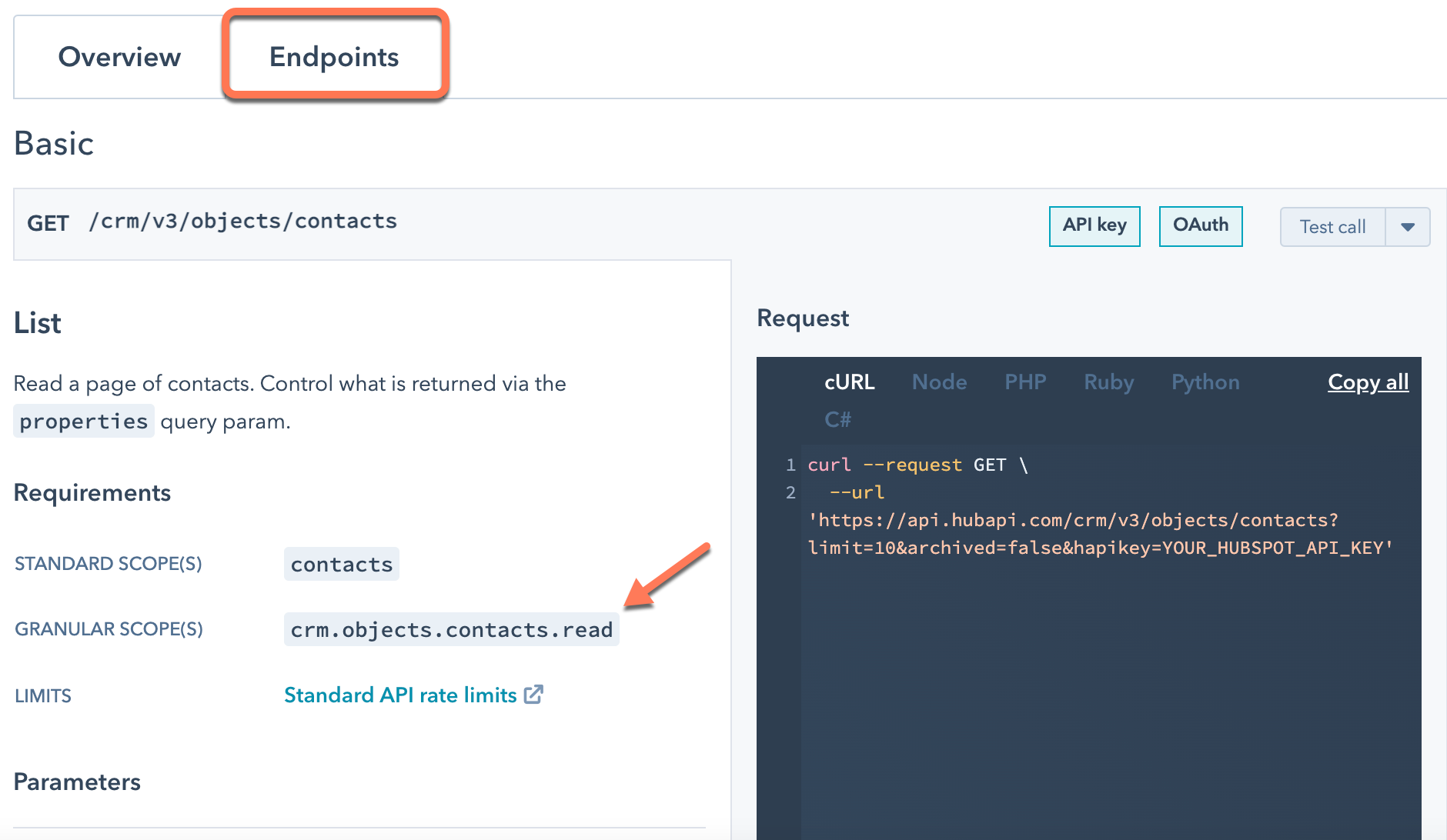
- Click the Endpoints tab, then scroll to the endpoint your integration is using.
- Under the Requirements section, locate the scopes required to use the endpoint. Whenever possible, you should opt for scopes listed under Granular scopes instead of the ones under Standard scopes. If no granular scopes are listed, use the standard scopes.
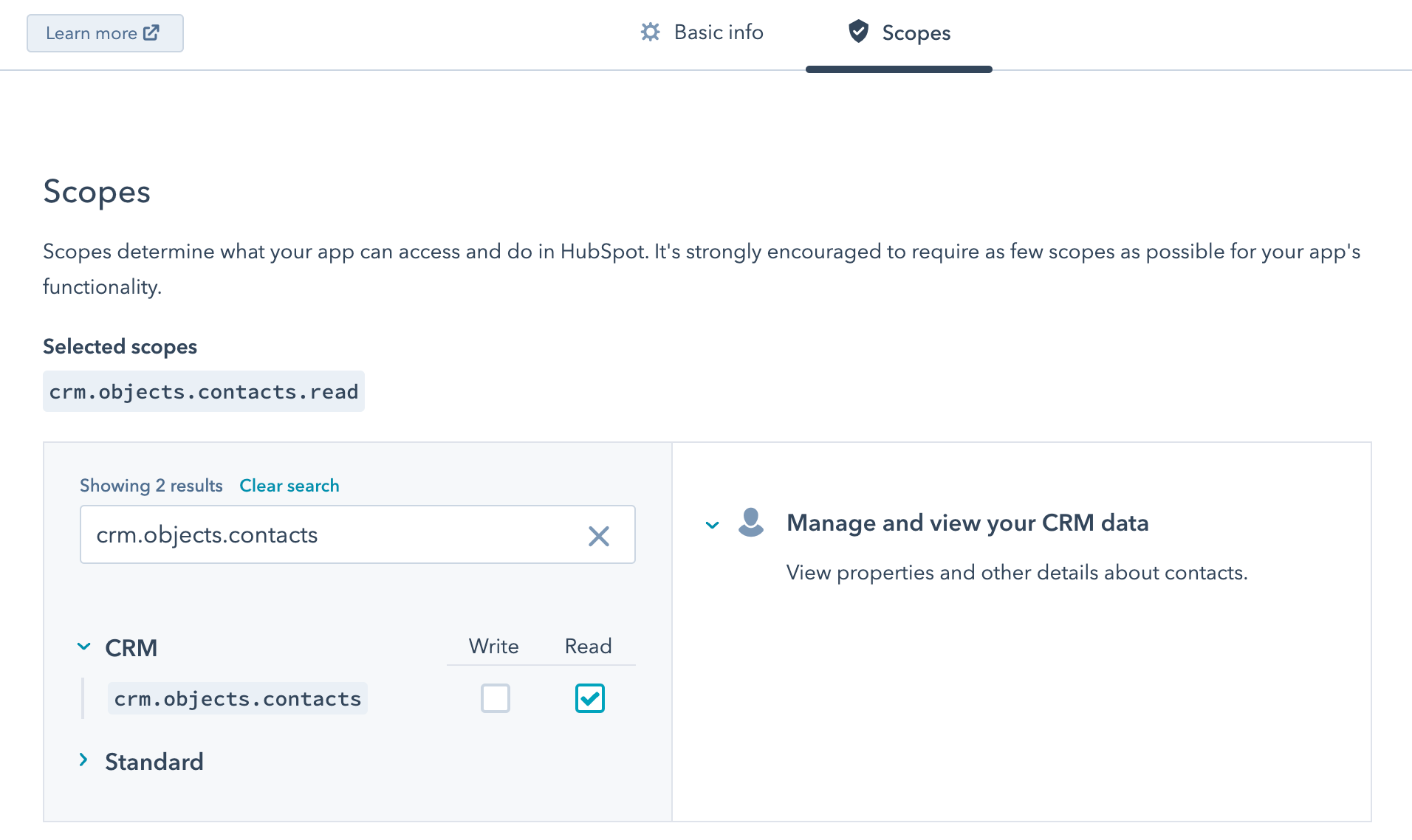
- Back in the settings for your private app, select the Read or Write checkboxes next to the matching scopes. You can also search for a scope using the Find a scope search bar.
- After you’re done selecting your scopes, click Create app in the top right. You can always make changes to your app after you create it.
- In the dialog box, review the info about your app’s access token, then click Continue creating.
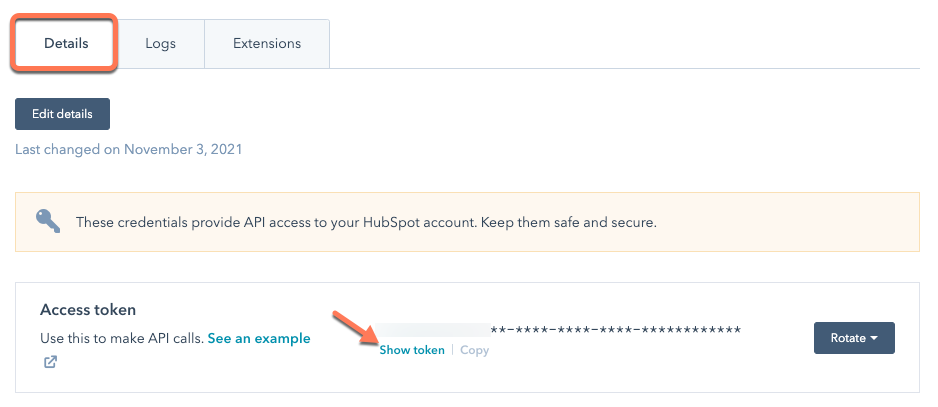
With your private app created, you can start making API requests using its access token. On the Details tab of the settings page of your private app, click Show token under your access token to reveal it.
2. Update the authorization method of integration’s API requests
Instead of using a hapiKey query parameter to make API requests, private app access tokens are included in the Authorization header of the request. When making a request, set the value of the Authorization header to Bearer ACCESS_TOKEN
