To finding why an issue isn’t showing in your plan is to search for it using the Find your issue function.
To find missing issues:
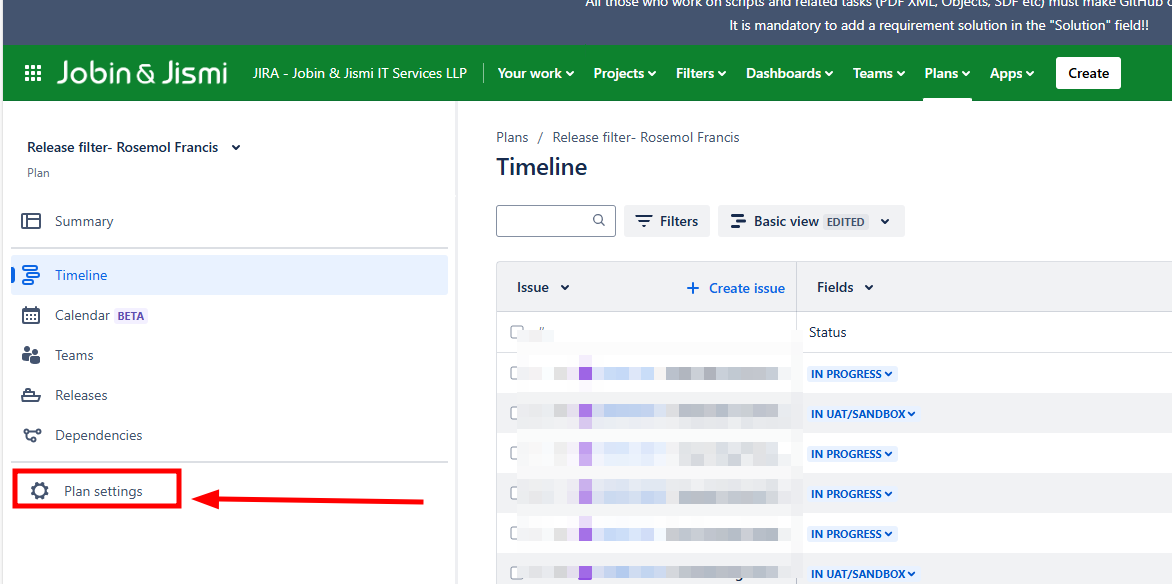
- Select Plan settings from the left side navigation.
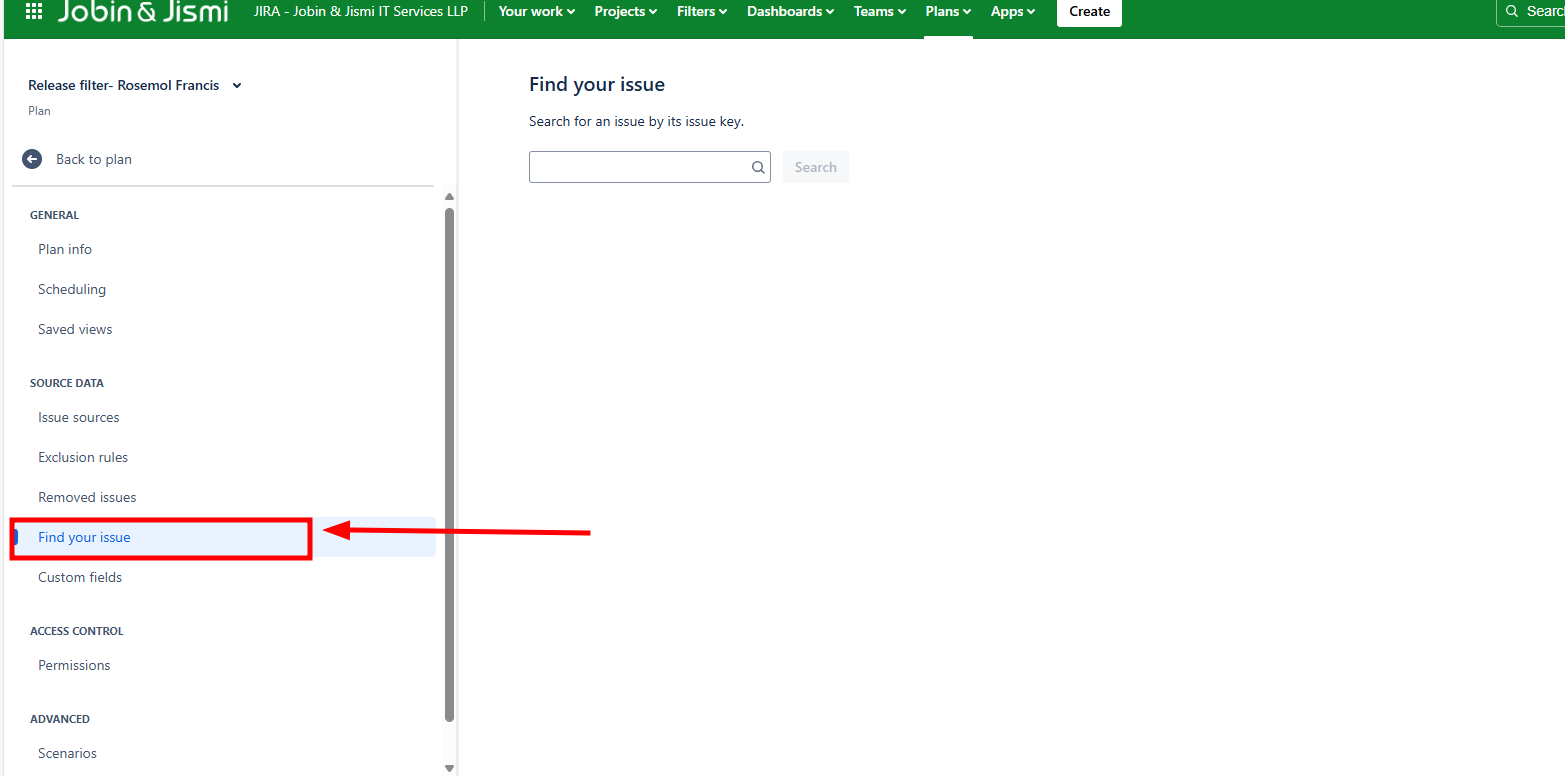
- Choose Find your issue from the side navigation, then enter the missing issue’s entire key. This function doesn’t support partial matches.
If issue is in your plan, you’ll see a message in a green box. If the issue is still missing from your plan, clear your filters to see if you can find it.
If issue has been excluded, the plan