Issue:
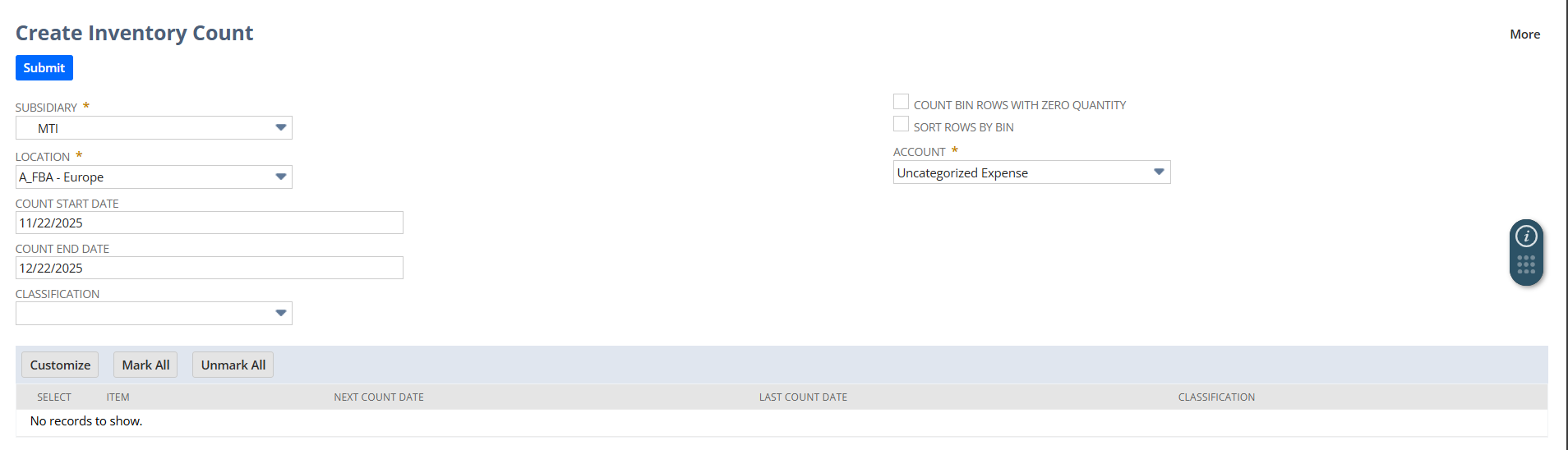
When creating an Inventory Count in NetSuite, items are not appearing for a specific location even though all requirements seem to be met.
Overview:
NetSuite’s Inventory Count functionality allows businesses to perform physical counts of inventory items by location and/or bin. This ensures that system-recorded quantities match actual stock on hand, maintaining accurate inventory levels.
First Check – Required Features and Settings:
Before troubleshooting, confirm that the following features and configurations are enabled:
- Inventory Count – Must be active.
- Bin Management – Must be enabled.
- Location Configuration – Locations should be properly set up for inventory management.
- Item Availability – Items should have quantities available in the selected location/bin.
- Permissions – Roles used for inventory count must have access to inventory counts for the location.
✅ In this case, all required features and permissions are confirmed as enabled.
Possible Cause:
If items still do not appear in the Inventory Count list, check the Next Inventory Count Date for the location.
- NetSuite uses this date to determine which items are eligible for inclusion in the count.
- If this date is missing or not set, items will not be listed when creating a new inventory count.
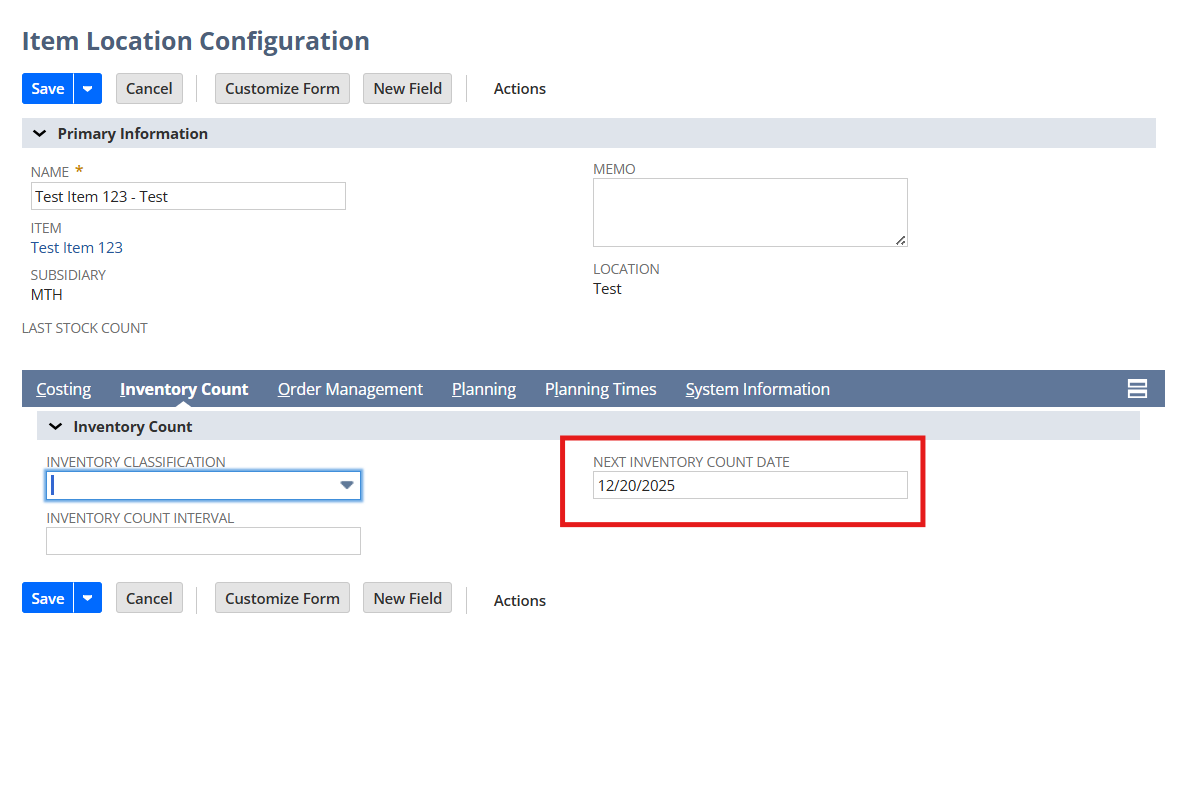
We need to set the “Next Inventory Count Date” for each item location in order to make the item available in the Create Inventory Count list.