The SuiteTax feature is hidden in the NetSuite enable features page by default. For the provision of the feature, we need to submit the SuiteTax enablement request to the NetSuite support team via an APS ticket.
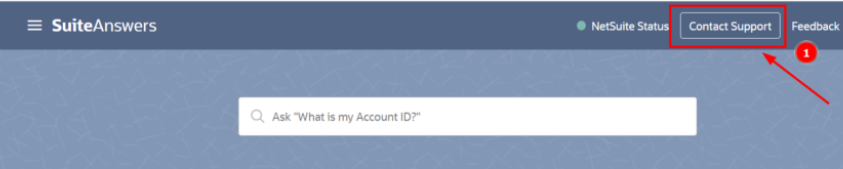
- Navigate to SuiteAnswers and click on Contact Support in the top right corner.
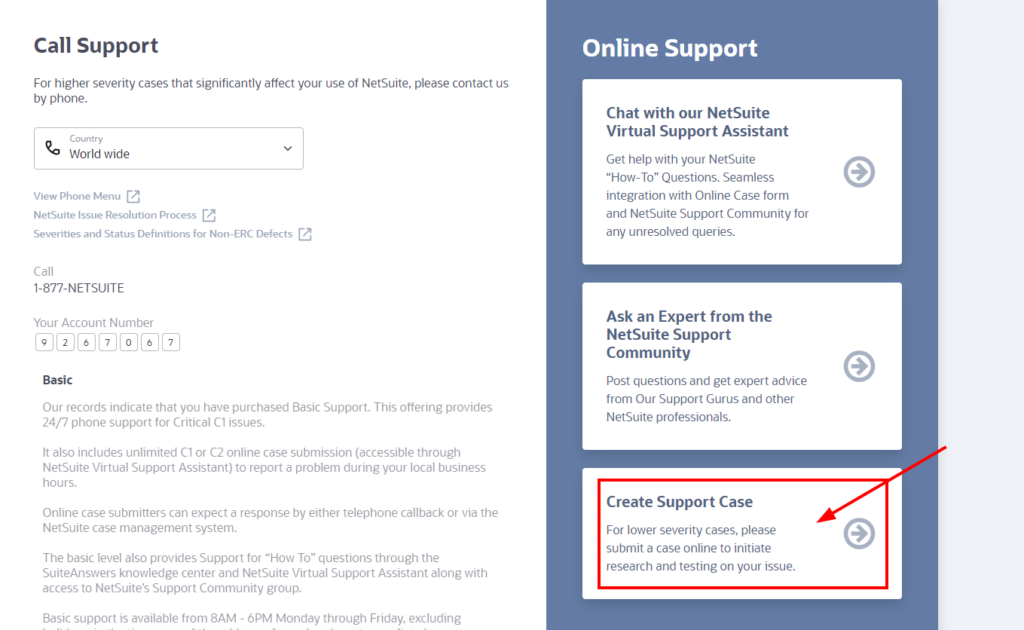
- Select ‘Create Support Case‘.
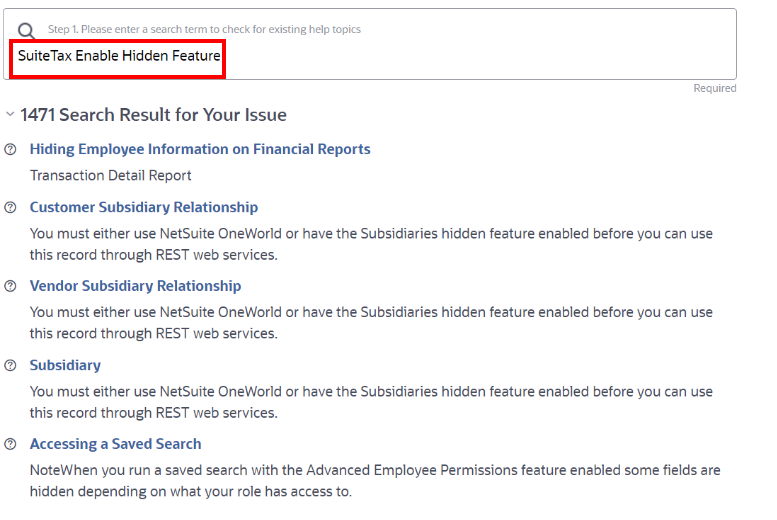
- Enter ‘SuiteTax enable hidden feature’ in the search bar.
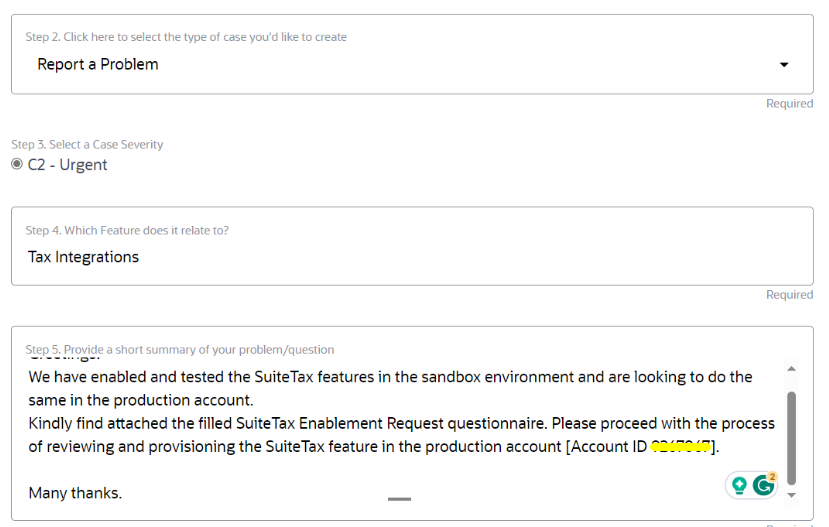
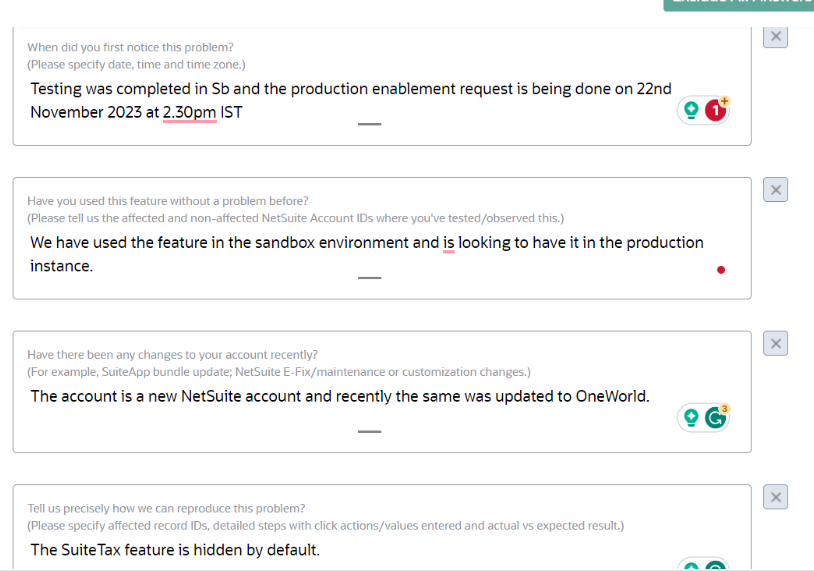
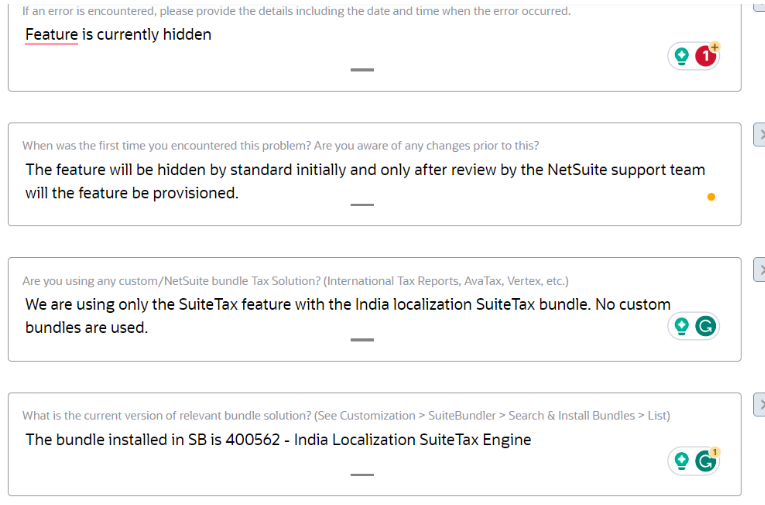
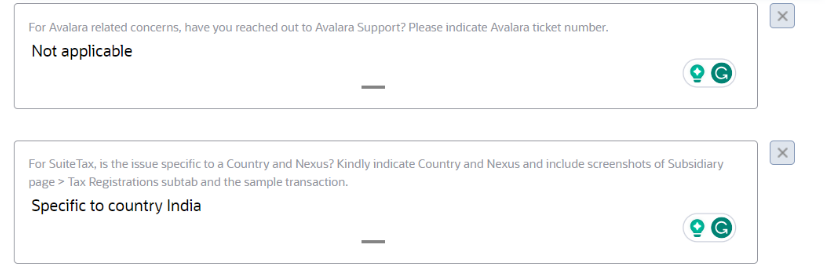
- Enter the case details. It is suggested to fill in all the questions for the case. While filling the case summary, mention the account ID and whether the enablement is for sandbox or production. It is suggested to first install it in SB and test the functionality before moving to production.
The following is an example of the case details for the SuiteTax enablement request for the production account during the NetSuite implementation phase. The case details vary depending on the circumstances and requirements.
- Attach the Enablement Request form with the case. Enter the contact number and time zone applicable in case the NetSuite support team is to contact the requestor.
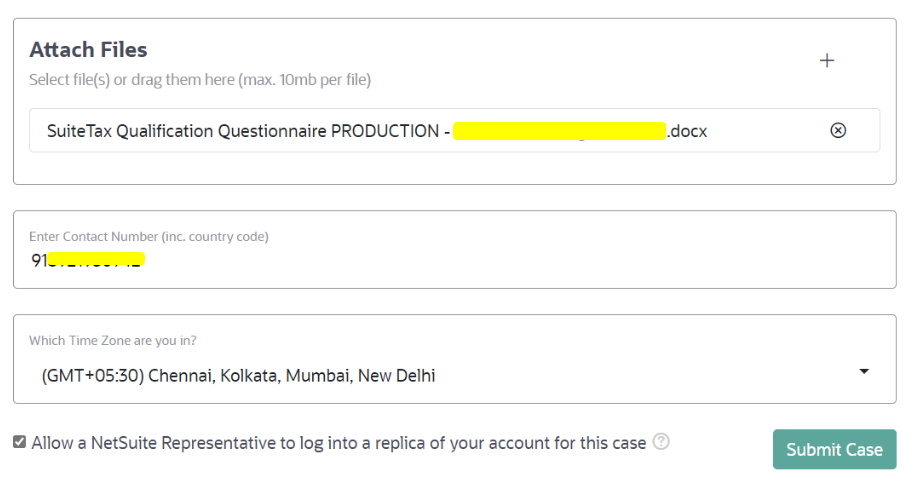
- Submit Case. The APS team will contact you via email associated with the NetSuite account from which you have registered the case. If the SuiteTax Qualification questionnaire is not available, you may request the same with the case and it will be emailed. The SuiteTax enablement request might take up to 10 days for provisioning.