Monitoring the IP addresses used by employees during their login sessions is a crucial aspect of maintaining security, safeguarding sensitive company information, and ensuring compliance with regulatory requirements. By tracking IP addresses, organizations can detect unauthorized access attempts, identify unusual login behavior, and verify that employees are accessing the system from approved locations or networks.
With NetSuite’s robust tools, such as the Login Audit Trail and Saved Search capabilities, you can efficiently extract detailed login data, analyze user activity patterns, and generate comprehensive reports to enhance security monitoring and meet compliance standards effectively.
Here’s a step-by-step guide to setting up a Saved Search
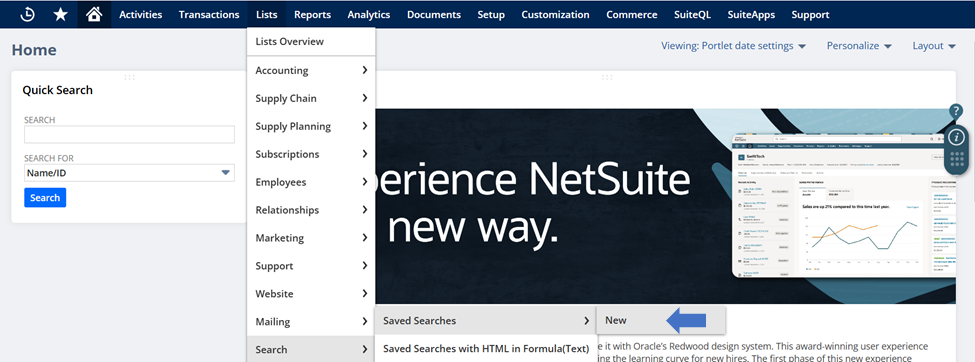
1.Navigate to List > Search > Saved Search > New.
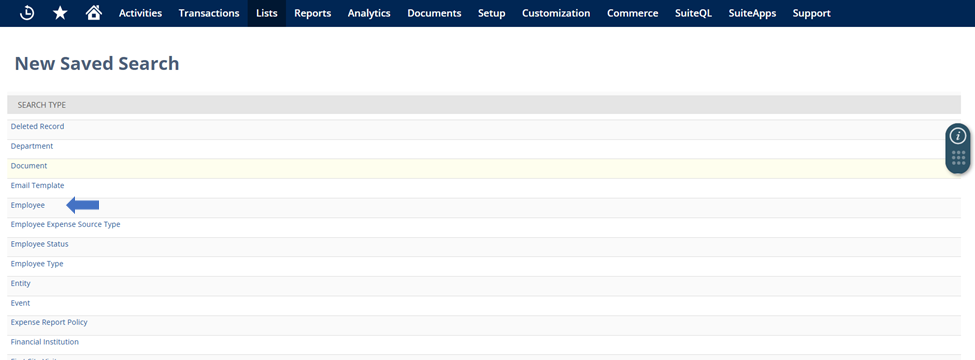
2.Choose Employee as the search type.
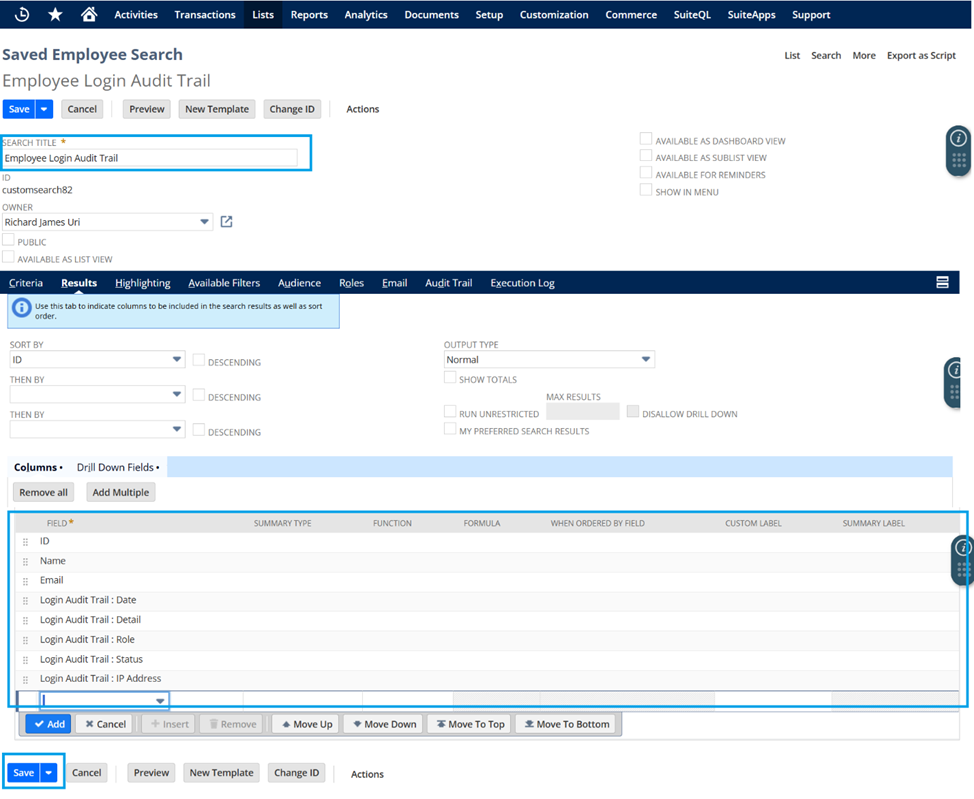
3.Fill in the following details:
a. Name (Provide a descriptive name for the search).
b. Under the Results subtab, add the following fields:
- ID
- Name
- Login Audit Trail: Date
- Login Audit Trail: Detail
- Login Audit Trail: Role
- Login Audit Trail: Status
- Login Audit Trail: IP Address
4.Click Save to finalize the search.
Leveraging this Saved Search empowers administrators to stay proactive in maintaining the security and integrity of their NetSuite environment.