Here’s an example:
1.) Navigate to Reports > Vendors/Payables > A/P Aging > Detail
2.) Click Customize
3.) In the Edit Columns,
A.) uncheck the group button in the Vendor Colum
B.) You can remove the age column
C.) Add Currency: Open Payables > Currency subfolder > Name
D.) Add Open Foreign Amount: Open Payables > Amount Due (Foreign Currency)
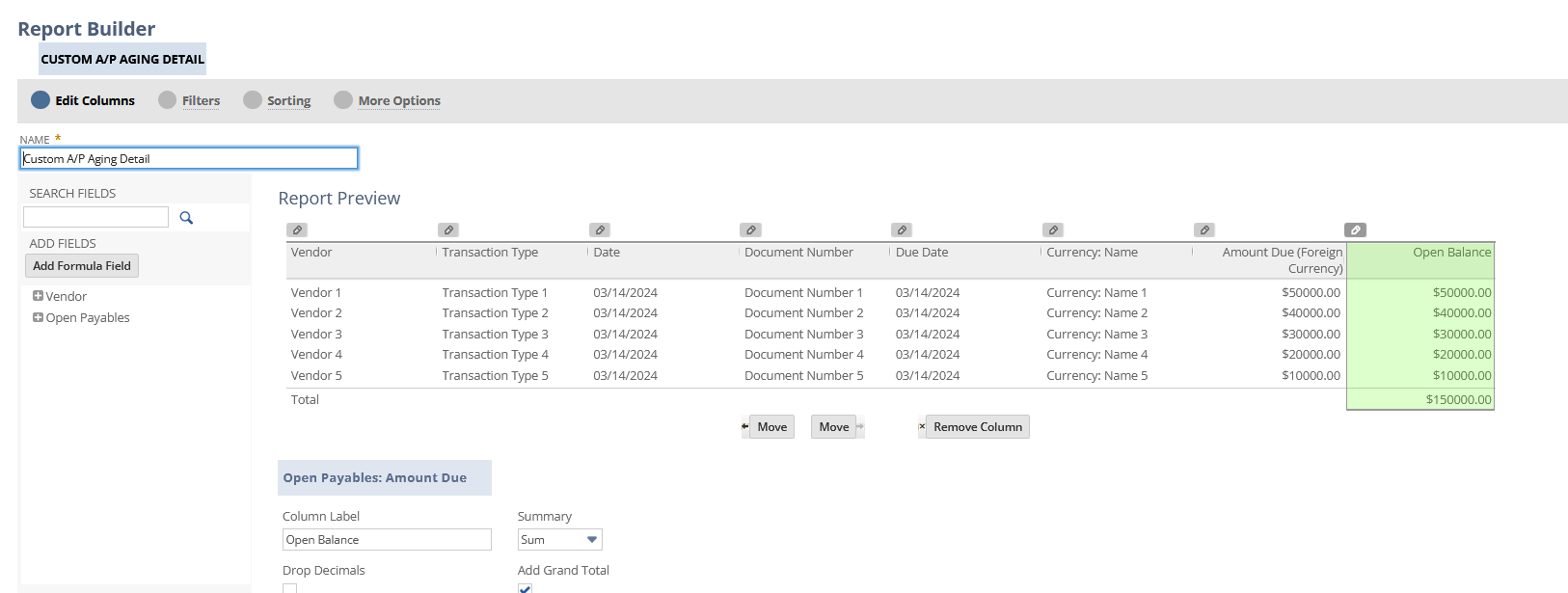
4.) Go to filters section:
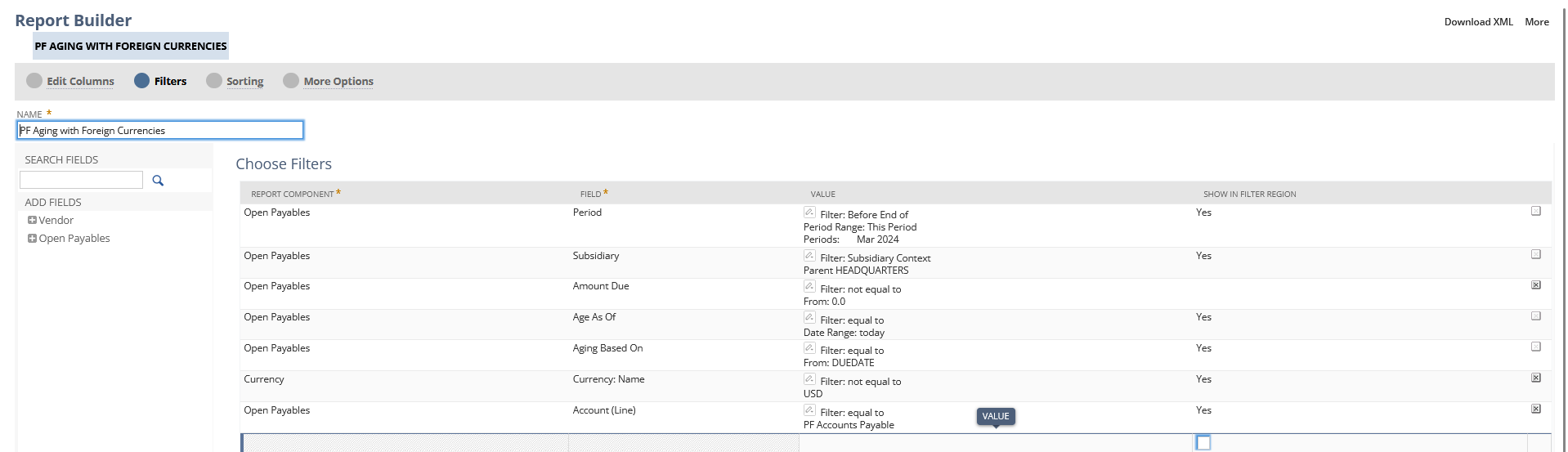
Currencies: Open Payables > Currency subfolder > Name, set it Not Equal to = the base currency of your subsidiary (in my Parent Subsidiary which is a USD one, I will select USD), Click Show in Filter Region

Account: Open Payables > Account (Line) – with this, you should be able to select the specific Payable Account. Click Show in Filter Region
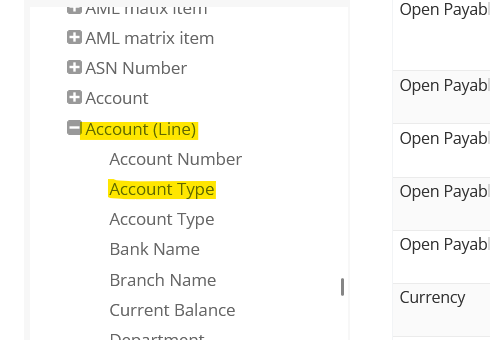
You can also select Open Payables > Account (Line) > Account Type and select Payables
You can also add Entity (Line) to not empty:
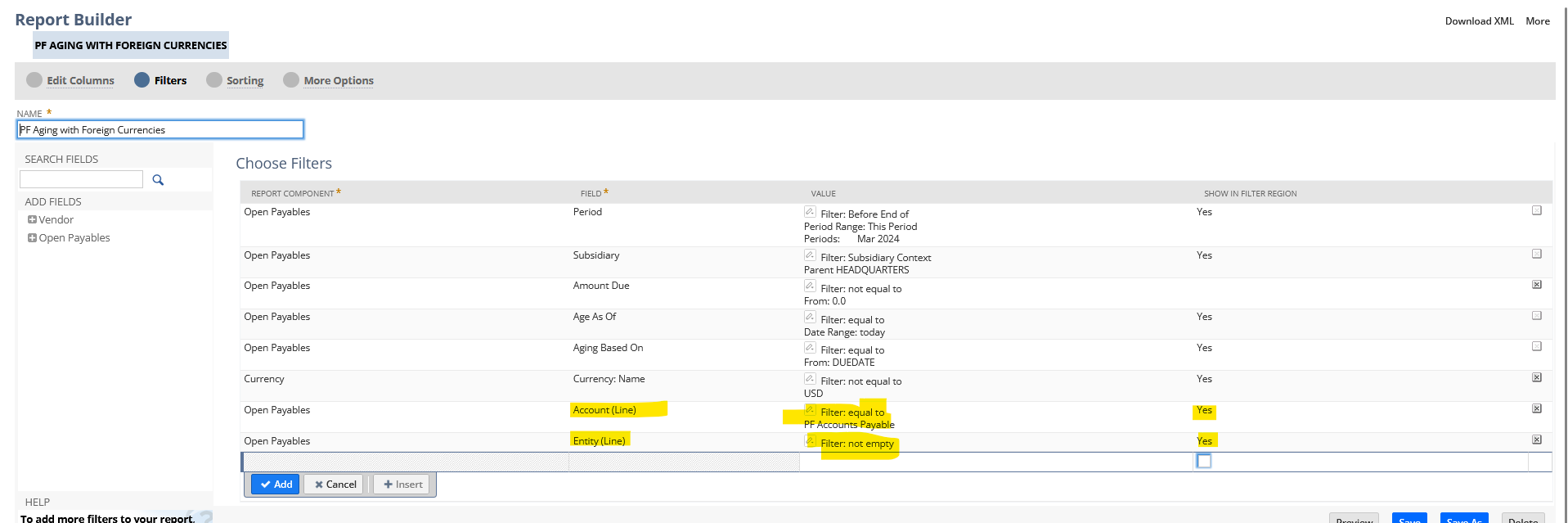
(This will remove Accounts Payables without an Entity)
5.) Save and run your report

Currency Revaluation:
